
Looking for a free LinkedIn tool usually ends the same way: you land on a list of paid software with a 7-day trial, you create an account, you hand over your card, and you forget to cancel. 😅
There is a whole category of tools that ask for nothing: no account, no card, no extension to install. You paste a URL, you describe your job, you get your result.
Here are the 15 best free LinkedIn tools, sorted by what you need them for. Nine come from Waalaxy and run straight from this page, the others come from elsewhere. All of them are free. The table below spells out on what terms.
Tool | What it does | Sign-up | Really free? |
|---|---|---|---|
LinkedIn headline generator | Write your profile headline | No | Yes |
LinkedIn summary generator | Write the About section | No | Yes |
Fisio | Score your profile out of 100 | No | Yes |
Kawaak | Write your posts | Account | Free version |
Text formatter (Reepl) | Bold, italics and bullets in a post | No | Yes |
Post preview (ReactIn) | See your post before publishing | No | Yes |
Canva | Banners, carousels, visuals | Account | Free version |
Supawork.ai | AI-generated profile picture | Account | Free credits |
LinkedIn video downloader | Grab the video from a post | No | Yes |
LinkedIn search generator | Build a search URL | No | Yes |
Boolean search generator | Write an AND / OR / NOT query | No | Yes |
Employee finder | List a company's staff | No | Yes |
ICP generator | Define your ideal target | No | Yes |
LinkedIn URL Finder | Retrieve a profile URL | No | Yes |
LinkedIn CSV enricher | Enrich a file of profiles | No | Yes |
We sorted these free LinkedIn tools into 6 categories. 👇
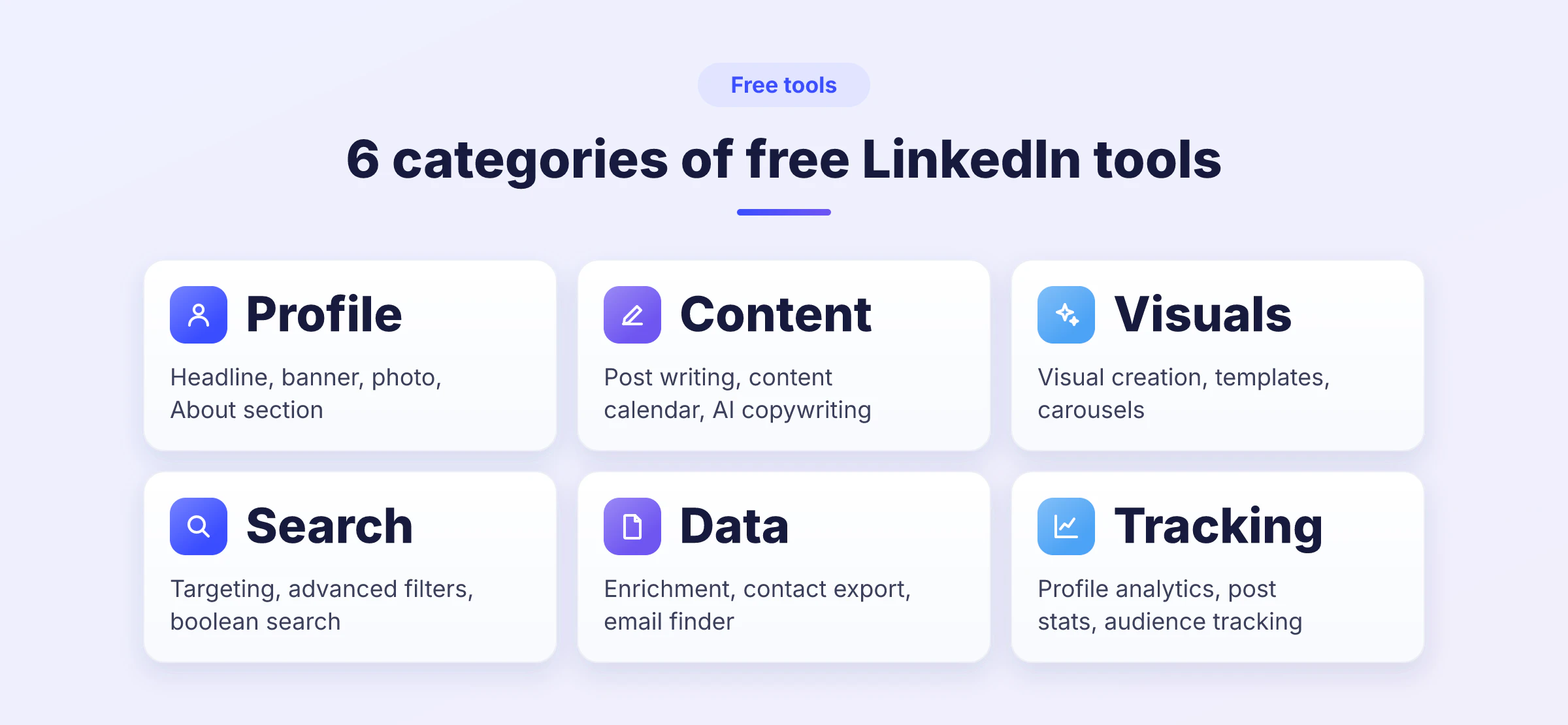
Free LinkedIn tools to optimise your profile
Before you publish or contact anyone, start by optimising your LinkedIn profile: it is the page everyone checks. A sloppy profile drags down your reply rates before you have written a single word. 🪞
LinkedIn headline generator
Your headline is the one line that follows you everywhere: in search results, under your comments, in every invitation you send. It is also the most neglected.
Waalaxy's headline generator asks for your role, your audience and the tone you want, then hands you several versions. You pick one, you adjust it. No sign-up, no limits.
🎯 Who it is for: anyone whose headline is still just a job title.
LinkedIn summary generator
The About section is the one nobody wants to write. It is still read by the visitors who hesitate before replying to you.
The summary generator starts from your background and builds a structured summary, in three or four blocks, that you only have to personalise.
🎯 Who it is for: profiles with a lot to say and little time to tidy it up.
Fisio, to score your profile
Fisio gives your profile a score out of 100 and breaks down what drags it down in terms of LinkedIn SEO: photo, headline, summary, experience, skills. Handy when you want to know where to start instead of rebuilding everything at random.
🎯 Who it is for: anyone who wants a diagnosis before committing to a rewrite.

Free LinkedIn tools to write and format your posts
LinkedIn gives you no bold, no italics and no decent preview. Three free tools fill those gaps. ✍️
Kawaak, to write
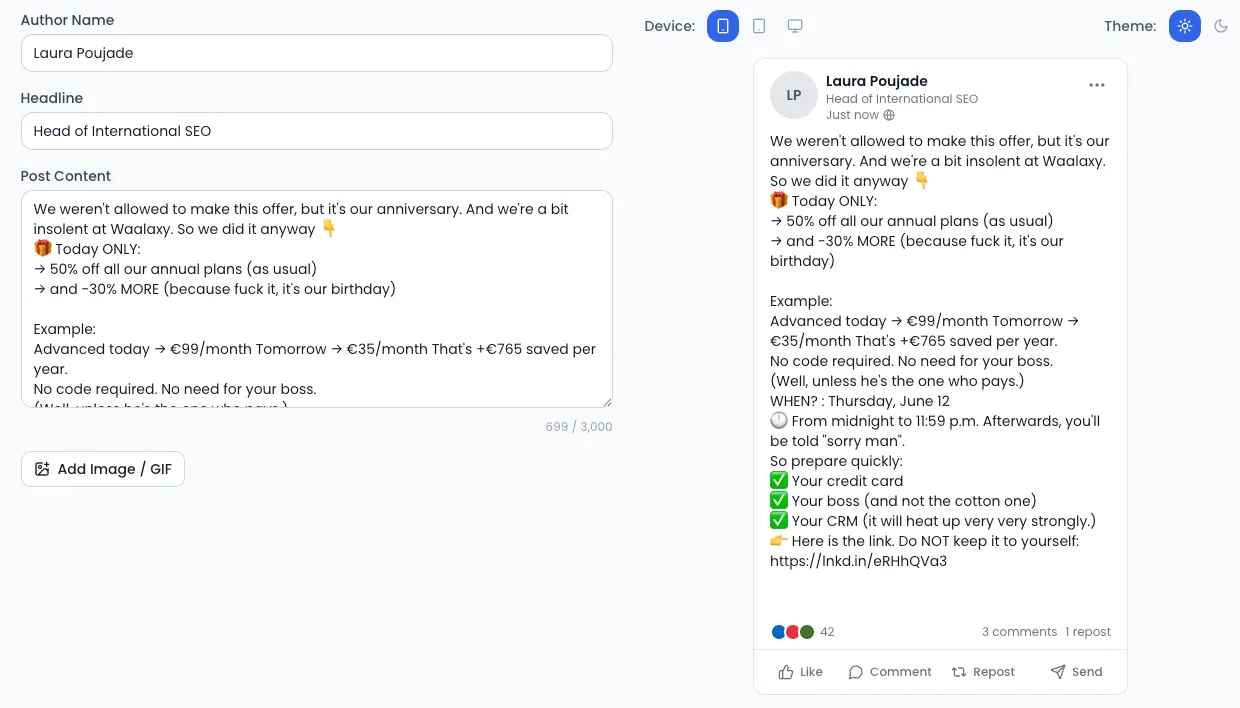
Kawaak is a LinkedIn post generator built for copywriting: it suggests angles, rewrites, trims. The free version is enough to find the tone that suits you before you settle into a publishing routine.
We compared what the market has to offer in our piece on LinkedIn post generators.
🎯 Who it is for: people who freeze on the blank page more than on the substance.
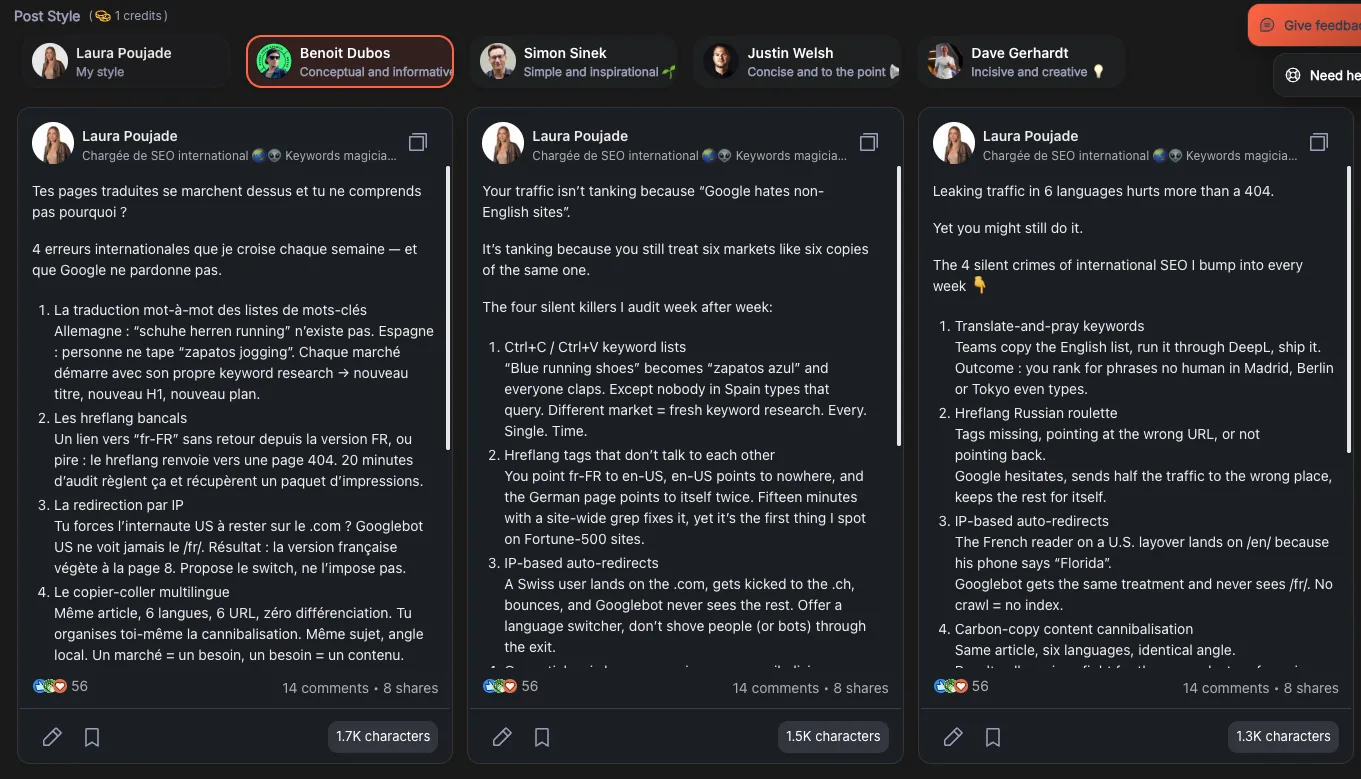
The LinkedIn text formatter
LinkedIn has no bold button. Text formatters get around it by converting your characters to Unicode: the result shows up everywhere, with no extension. Reepl offers one for free, and we break the technique down in our guide to formatting LinkedIn posts.
🎯 Who it is for: anyone whose posts show up as one compact, unreadable block.
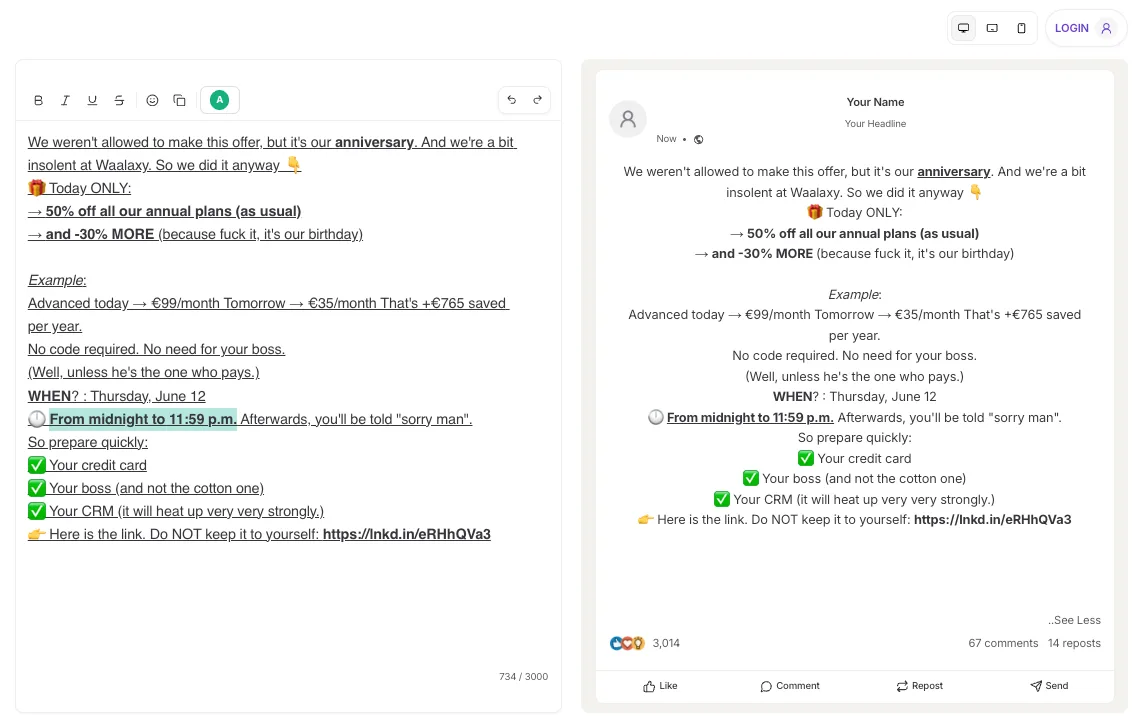
Post preview
A post gets cut off after three lines on mobile. Preview tools show you the real rendering before you publish, on mobile and on desktop, so you can put your hook in the right place. ReactIn offers one with no sign-up.
🎯 Who it is for: people who publish from a desktop and get read on a phone.
Free LinkedIn tools for your visuals and videos
On LinkedIn, the visual is what stops the scroll. And nobody has the budget for a designer on every post. 🎨
Canva
Canva needs no introduction. Its free version already covers the essentials: profile banner, carousels, post visuals, automatic resizing to LinkedIn formats. It is the tool every comparison mentions, and for once the consensus is deserved.
For the banner in particular, we put together 15 free templates and the method behind them, ready to recreate in Canva as often as you like.
🎯 Who it is for: profiles and teams with no designer on hand.
Supawork.ai, for your profile picture
Supawork generates a professional LinkedIn profile picture from a handful of shots, in several styles. Handy when the only photo you have dates back to a wedding in 2019. We tested and ranked the alternatives in our comparison of AI LinkedIn photo generators.
🎯 Who it is for: anyone whose only available photo does not work on a professional profile.

LinkedIn video downloader
To grab the video from a public post, Waalaxy's video downloader is as simple as it gets: you paste the URL, you download. No login, no watermark, no extension. Useful for reusing a clip, archiving a talk or resharing content on another channel.
🎯 Who it is for: content creators who recycle their formats from one network to another.
Free LinkedIn tools to find and target the right profiles
This is where LinkedIn is stingiest: the native search can do a lot, its interface much less so. Four free generators do the work for you. 🔍
LinkedIn search generator
You fill in role, industry, location and connection level, and Waalaxy's search generator builds the matching search URL. You paste it into LinkedIn and your results come back filtered.
🎯 Who it is for: anyone who rebuilds the same search by hand every week.
LinkedIn Boolean search generator
The difference with the generator just above comes down to scope. The first turns LinkedIn filters (role, industry, location) into a ready-made URL. Boolean search works on the keywords themselves: you combine them with AND, OR, NOT, quotation marks and brackets to include or exclude profiles that filters cannot tell apart.
In practice, a query like "head of growth" OR "growth manager" NOT intern saves you sorting three hundred profiles by hand. You do need to know the syntax, and that is where the Boolean search generator writes it for you. The result works on Sales Navigator and Recruiter too.
🎯 Who it is for: recruiters and sales reps hunting precise profiles in a large pool.
Employee finder
You type in a company name and Waalaxy's employee finder lists the staff visible on LinkedIn. It is the starting point of any account-based approach: work out who does what before you contact anyone.
🎯 Who it is for: teams working a list of target companies rather than a list of people.
ICP generator
Before you search, you need to know who you are searching for. You describe your company and your value proposition, and the ICP generator produces an ideal customer profile: industries, company sizes, job functions, problems to solve.
If the concept is new to you, our article on ICP sales takes the method from the top.
🎯 Who it is for: founders and teams still targeting more or less everyone.
Free LinkedIn tools to enrich and use your data
A list of profiles with no usable data behind it is still just a list of profiles. Two free tools bridge the gap. 📊
LinkedIn URL Finder
From a first name, a last name and a company, the URL finder retrieves the LinkedIn profile URL. Handy when you have a contact file with no links in it, or a list of event attendees.
🎯 Who it is for: anyone pulling files out of a CRM or a trade show.
LinkedIn CSV enricher
You import a file of LinkedIn URLs and the CSV enricher hands back structured profiles: role, company, industry. Enough to turn a raw export into a database you can actually work with.
For the logical next step, finding the professional email addresses, we compared the options in our Email Finder article.
🎯 Who it is for: teams preparing a multichannel campaign from a raw file.
Free LinkedIn tools to measure what you do
Two free LinkedIn analytics tools, and they are already sitting in your account. 📈
LinkedIn Analytics
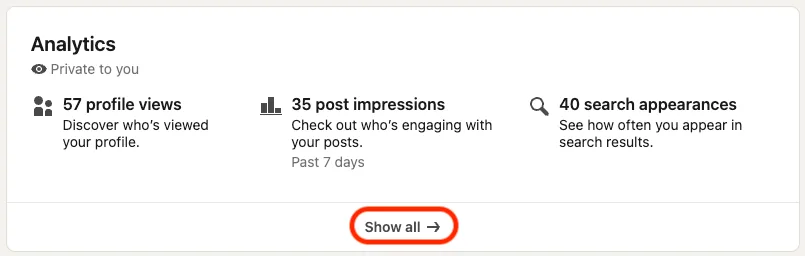
Impressions, clicks, comments, LinkedIn engagement rate, followers gained, where your profile visitors come from: the native statistics are more than enough to work out what speaks to your audience. Start there before you stack up dashboards. Our article on LinkedIn analytics tools goes through what to look at first.
You can reach these statistics from your LinkedIn profile, in the analytics box, by clicking "Show all".
🎯 Who it is for: anyone publishing regularly who wants to know which format works.
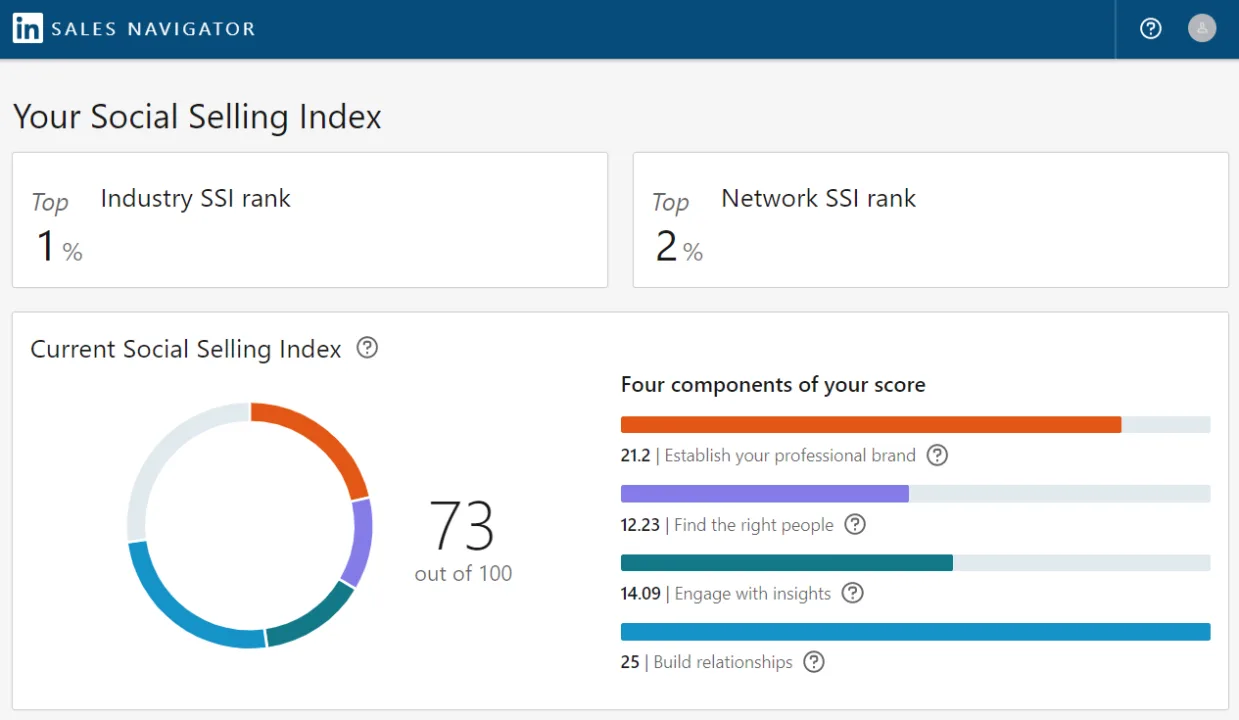
The LinkedIn SSI
The Social Selling Index gives you an overall score out of 100, split across four pillars: professional brand, targeting, engagement, relationships. It is free to check and takes about a minute. We explain how to read it and how to move it up in our guide to the LinkedIn Social Selling Index.
🎯 Who it is for: anyone who wants a number to anchor their activity, without installing a tracking tool.
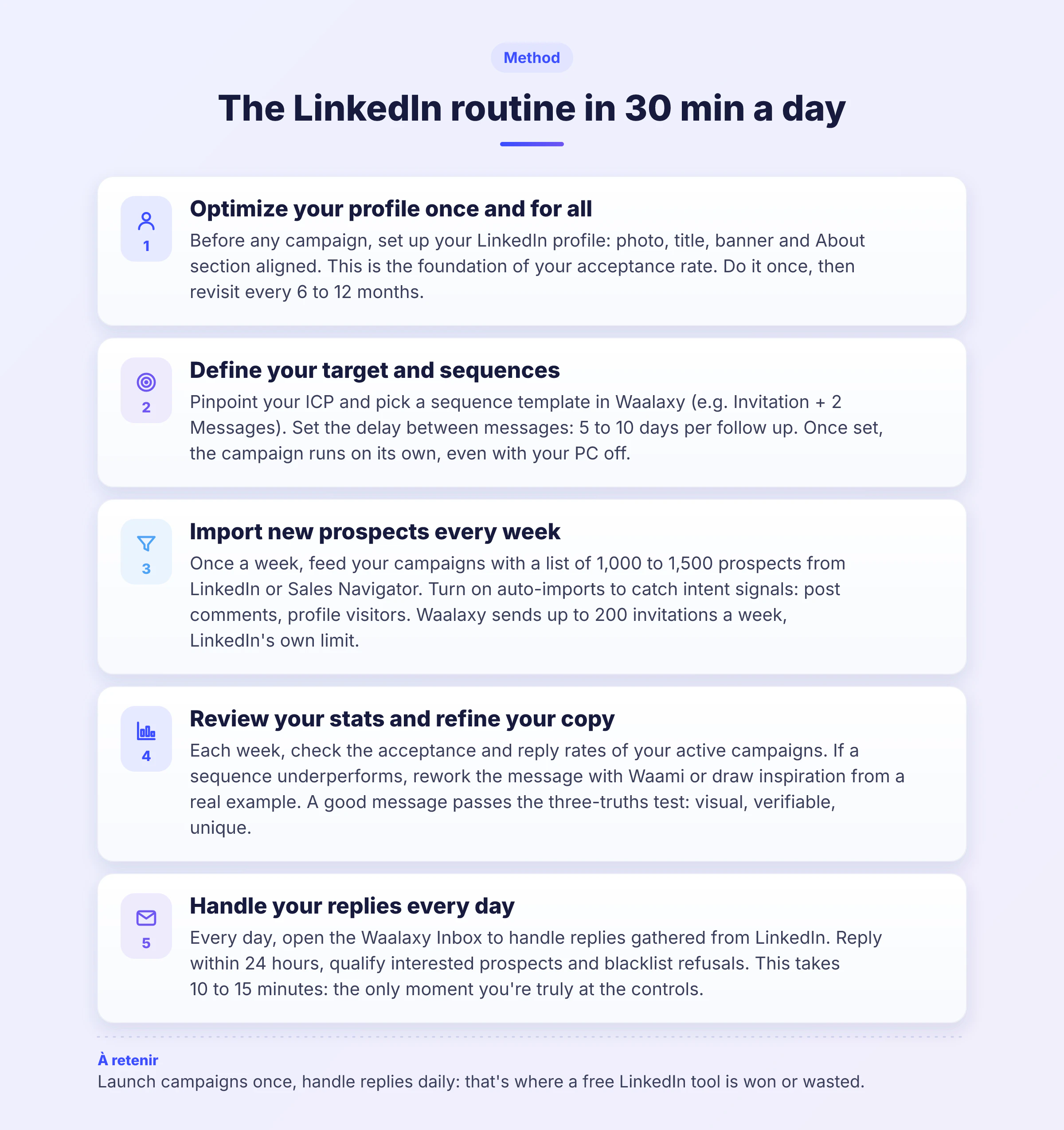
How to fit all of this into 30 minutes a day
Fifteen tools are no use if you open them at random. Here is the sequence that strings them together. ⏱️
Once and for all (2 hours)
ICP generator: you put your target down in writing.
Headline and summary generators: you rewrite your profile.
Fisio: you check the score and fix what is missing.
Canva: you redo the banner.
Every week (30 minutes)
Search generator or Boolean search: you build two or three targeting queries.
Employee finder: you list the companies that matter.
CSV enricher: you turn all of it into a file you can work with.
Every day (15 minutes)
Kawaak: you write a post.
Text formatter and preview: you check the rendering before publishing.
LinkedIn Analytics: you look at what worked the day before.
When free LinkedIn tools are no longer enough
There comes a point where the problem is no longer finding the right profiles, it is keeping track of what you do with them. Who accepted your invitation? Who never replied, and how do you lift your LinkedIn response rate? Who needs a follow up, and when?
At that stage, no generator will help: you need a tool that runs the actions and keeps the record. That is what Waalaxy does.
What you get during the trial:
Importing your prospect lists from a LinkedIn or Sales Navigator search, in one click.
Ready-made sequences: profile visit, invitation, message, follow up, with the delays already set.
LinkedIn then email for the people who did not accept or did not reply, thanks to the Email Finder.
All your replies tracked in one place.
If you want to see what a first campaign looks like before you decide, we documented it step by step in 4 ways to launch your first Waalaxy campaign.
FAQ: free LinkedIn tool
There is no single one, because they do not do the same job. The right reflex is to start from what you need right now:
Tidying up your profile: the headline and summary generators, for the best return on time spent.
Targeting the right profiles: the Boolean search generator, which goes further than LinkedIn's native filters.
Publishing content: a text formatter paired with a post preview.
Working a contact file: the LinkedIn URL Finder, then the CSV enricher.
The table at the top of this article lists all 15 tools, with what their free version really gives you.
Yes, and to a large extent. Creating a profile, publishing, commenting, sending invitations and talking to your connections costs nothing. Paid plans mainly add advanced search filters, InMails, and full visibility on who viewed your profile. To get started, the free account is plenty.
The ones that ask for neither a login nor an extension, like the generators listed here, never touch your account: they produce a piece of text or a URL that you then use yourself. Be more careful with extensions that act on LinkedIn in your place, especially those promising unlimited volume.
The warning signs:
A promise of unlimited invitations or messages, when LinkedIn enforces its own caps.
A request for your LinkedIn password, instead of running from the session you already have open.
A tool that runs non-stop, with no time window and no delay between two actions.
No information on what is stored about your data, or on how to delete it.
Yes, two, and both are native: LinkedIn Analytics for your post and profile statistics, and the Social Selling Index for an overall score out of 100. Both sit inside your account, with no third-party tool involved.
From a first name, a last name and a company, a LinkedIn URL Finder retrieves the profile link. It is the fastest route when you start from a contact file with no URLs in it. The tool is embedded higher up in this article.
LinkedIn Sales Navigator is a paid product, but LinkedIn regularly offers a one-month trial. We covered the conditions and the alternatives in our article on getting Sales Navigator for free.