
Trying to decide between Waalaxy and Lemlist for your outreach campaigns?
In this detailed comparison, we break down automation features, personalization capabilities, integrations, pricing, and overall performance so you can confidently choose the right tool for your prospecting strategy.
Waalaxy vs lemlist: Side-by-Side Comparison at a Glance
To help you decide, we’ve created a comparison table summarizing the key features and differences covered in this article. 🤩
Feature | Waalaxy | Lemlist |
|---|---|---|
LinkedIn automation | ✅ | 🟠 Limited |
Multichannel sequences (Email + LinkedIn) | ✅✅ Excellent | ✅ OK |
Message personalization (variables) | ✅ | ✅✅ Excellent |
Ready-to-use campaign templates | ✅ | ✅ |
Beginner-friendly sequences | ✅ | 🟠 Complex workflows |
Trustpilot reviews | 4.8⭐ | 4.4 |
G2 reviews | 4.6⭐ | 4.6⭐ |
✅ | ✅ | |
Email Finder | ✅ | ✅ |
Email discovery rate | ✅ 60%+ via enrichment | ✅⚠️ Depends on tools |
Performance analytics | ✅ Clear & easy to read | ✅ Advanced & customizable |
Home page statistics | ✅ | ❌ |
Custom analytics dashboards | ❌ | ✅ |
Unified inbox | ✅ | ✅ |
Team plans | ✅ | ✅ |
Meeting booking | ✅ Skipcall | ✅ Lemcal |
CRM integrations | ✅ | ✅ |
Built-in prospect database | 🟠 (via LinkedIn integration or CSV import) | ✅ |
Runs in the cloud | ✅ | ❌ |
Chrome extension | ✅ | ✅ |
Interface & ease of use | ⭐ Very intuitive | 🟠 More complex |
Learning curve | ⭐ Low | 🟠 Medium / High |
Help center | ✅ Yes | ✅ Yes (EN only) |
Starting price | 💲 ~$19/month | 💲 ~$60/month |
Waalaxy stands out for its intuitive interface and ease of use, 💯 making it accessible for sales teams and founders who want to launch multichannel outreach quickly (LinkedIn + email). Lemlist, on the other hand, is often preferred by large outbound sales teams with dedicated RevOps resources focused on scaling cold email campaigns.
What is Lemlist? Features, Pricing & Reviews
Lemlist is a French startup founded in 2018. It’s an email outreach platform designed to help companies and entrepreneurs automate their sales campaigns and scale personalized prospecting. 📧
The tool specializes in cold email outreach — sending targeted messages to prospects you haven’t interacted with yet — with the goal of starting meaningful conversations and generating new business opportunities. 🥶
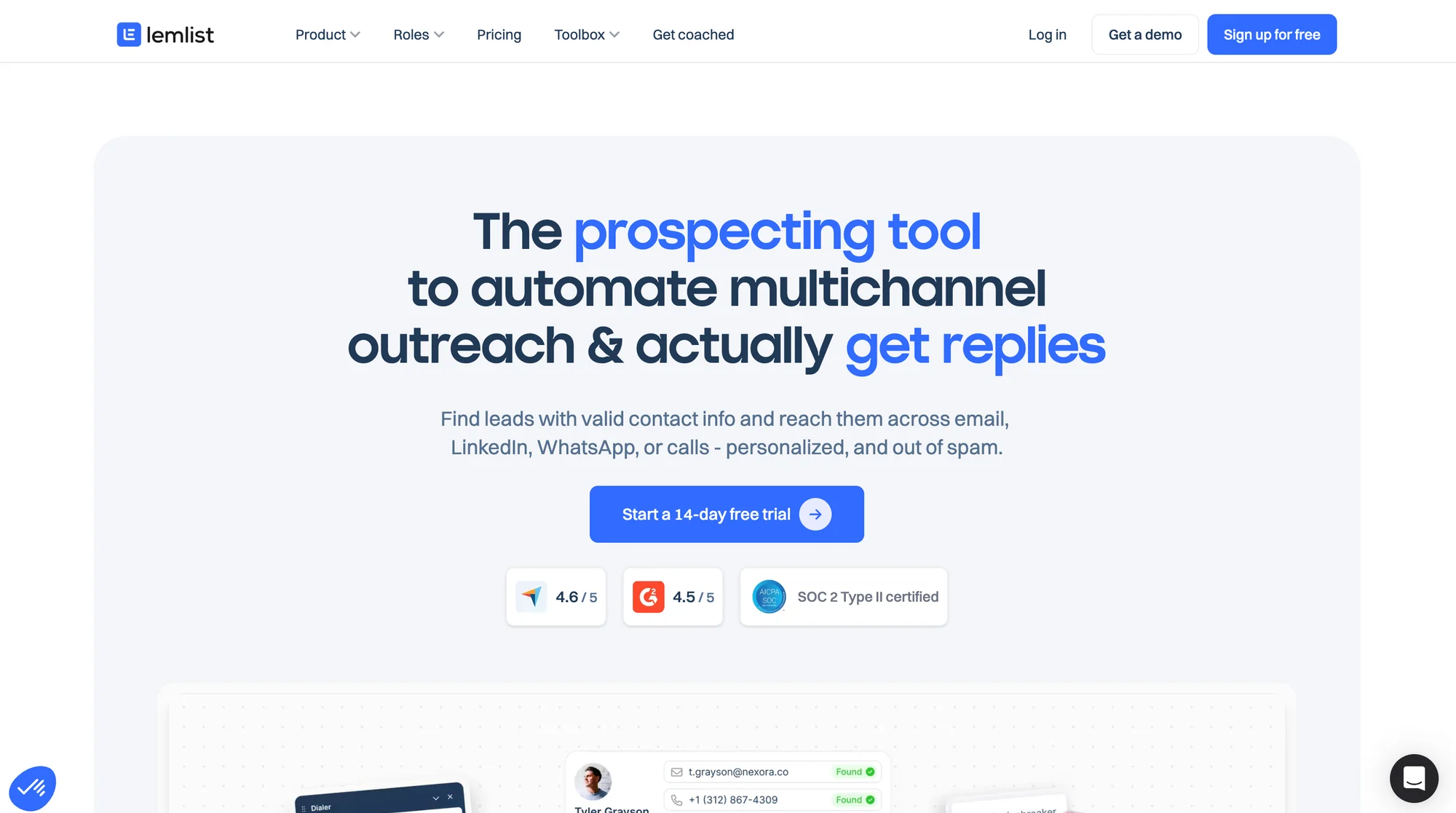
Here are the main features of the Lemlist Chrome extension: 👇
🔵 Advanced message personalization using dynamic text, images, GIFs, and videos.
🔵 Automated email sequences with follow-ups and smart reminders. 🤖
🔵 Built-in email warm-up (Lemwarm) to improve deliverability and protect sender reputation. 🔥
🔵 Multichannel outreach combining email and calls within the same campaigns.
🔵 Ready-to-use templates and pre-built prospecting sequences. 📋
🔵 Detailed performance tracking (open rates, clicks, replies, and campaign analytics). 📊
🔵 Integrations with CRMs and third-party tools like HubSpot and Zapier. 🔗
🔵 Email Finder and verification features to reduce bounce rates and improve data quality. 📮
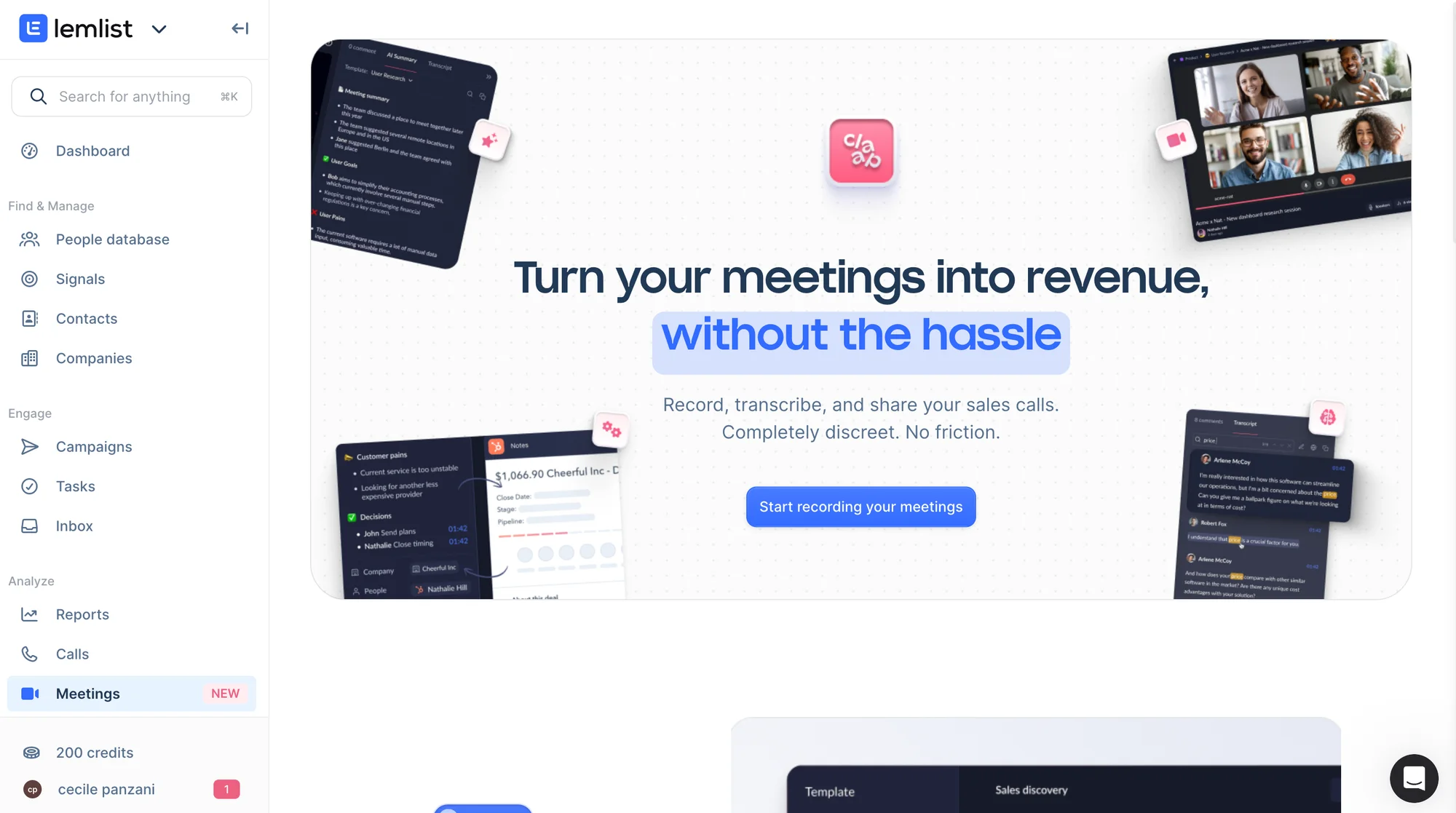
Lemlist Reviews
Overall, users appreciate Lemlist for its advanced message personalization and intuitive platform interface. 😇
Its spam protection features and customizable analytics dashboard are frequently cited as major strengths. Users also highlight how smoothly Lemlist integrates with tools like Dropcontact and Sales Navigator. 👀
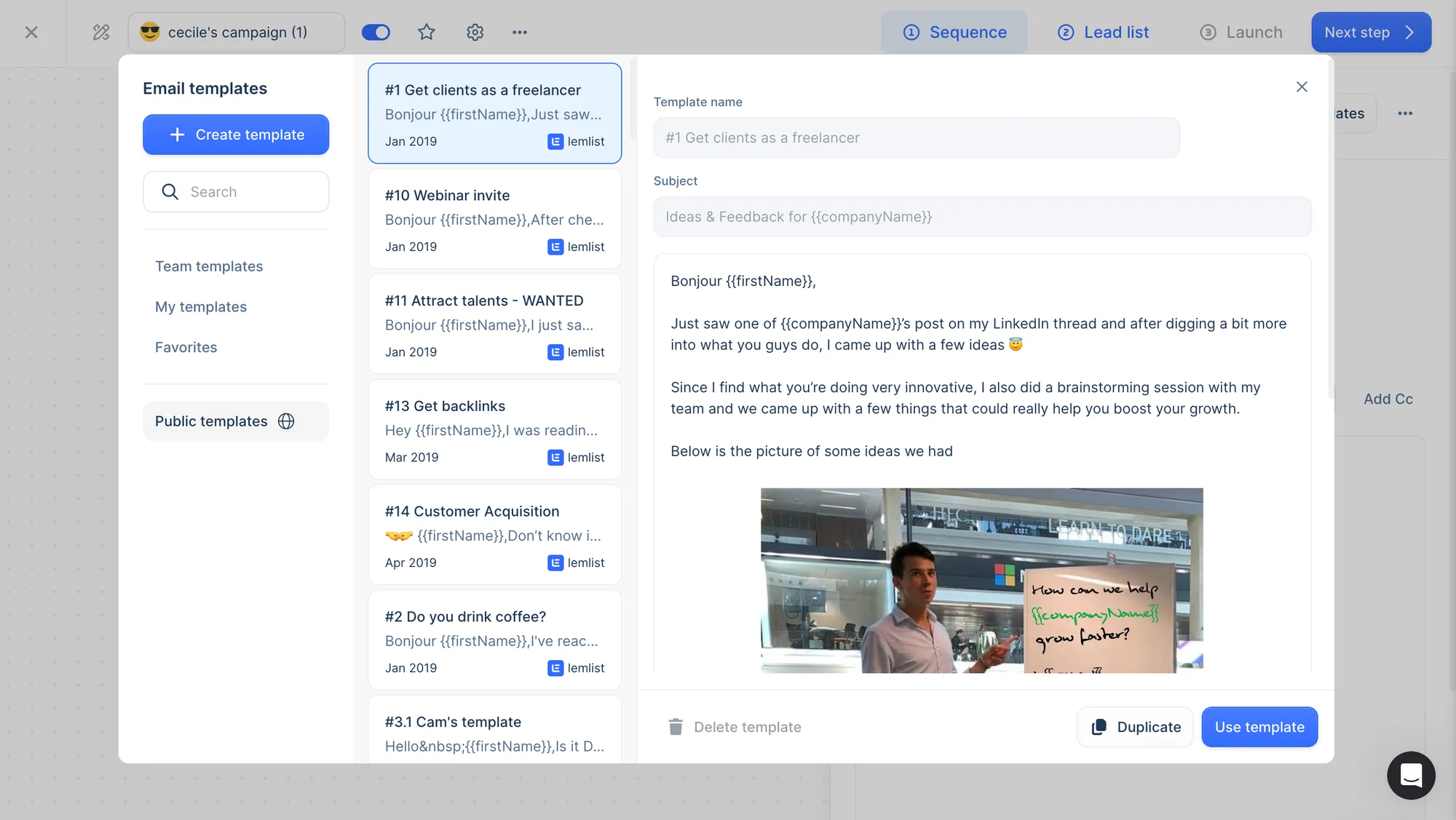
Finally, the extensive library of email templates is considered a strong advantage — even though they must be accessed from the website and manually duplicated inside the platform. 🧚🏻♀️
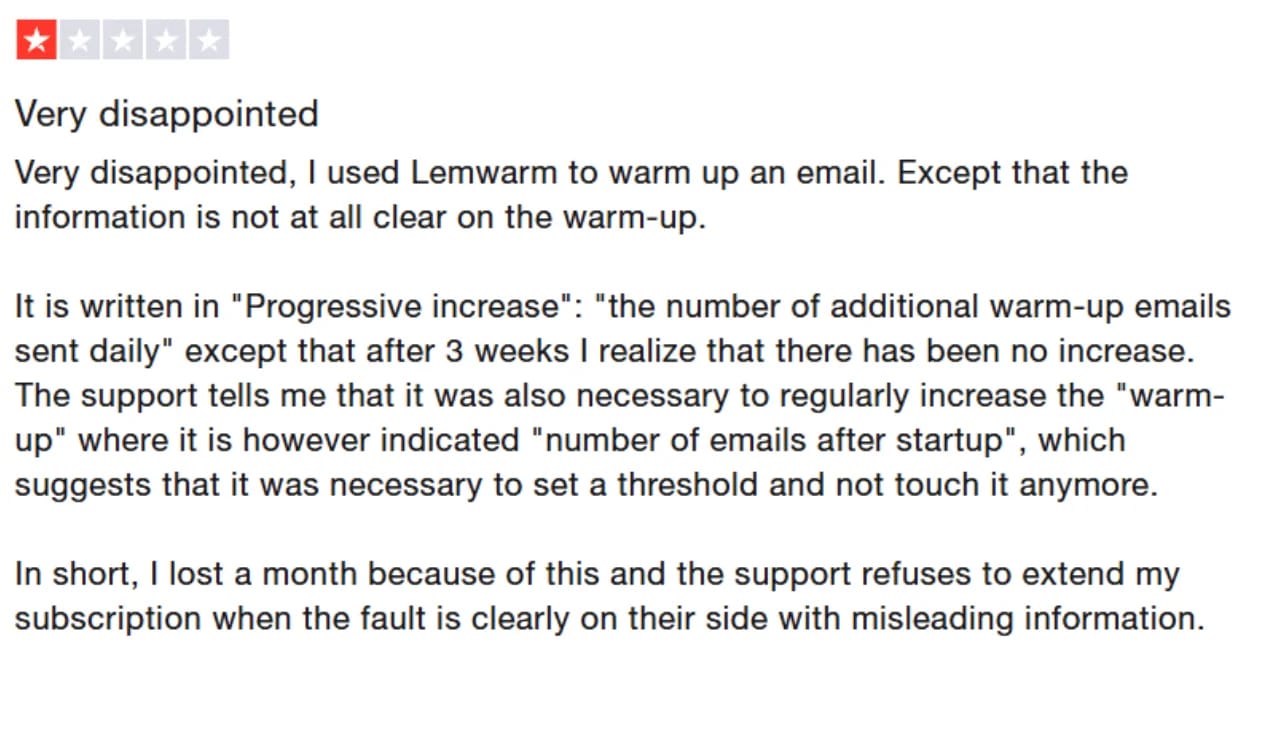
However, many users report that the initial setup can be complex and not particularly intuitive. Some also mention disappointing open rates and lower-than-expected conversion results. In addition, certain features (such as Lemwarm) are sometimes perceived as underperforming. 🫣
Overall, it’s a solid automation tool. However, due to its complexity and limited support, it may not be suitable for all users, especially small sales teams, founders, or solopreneurs who may start looking for simpler Lemlist alternatives. 👀
Lemlist pricing
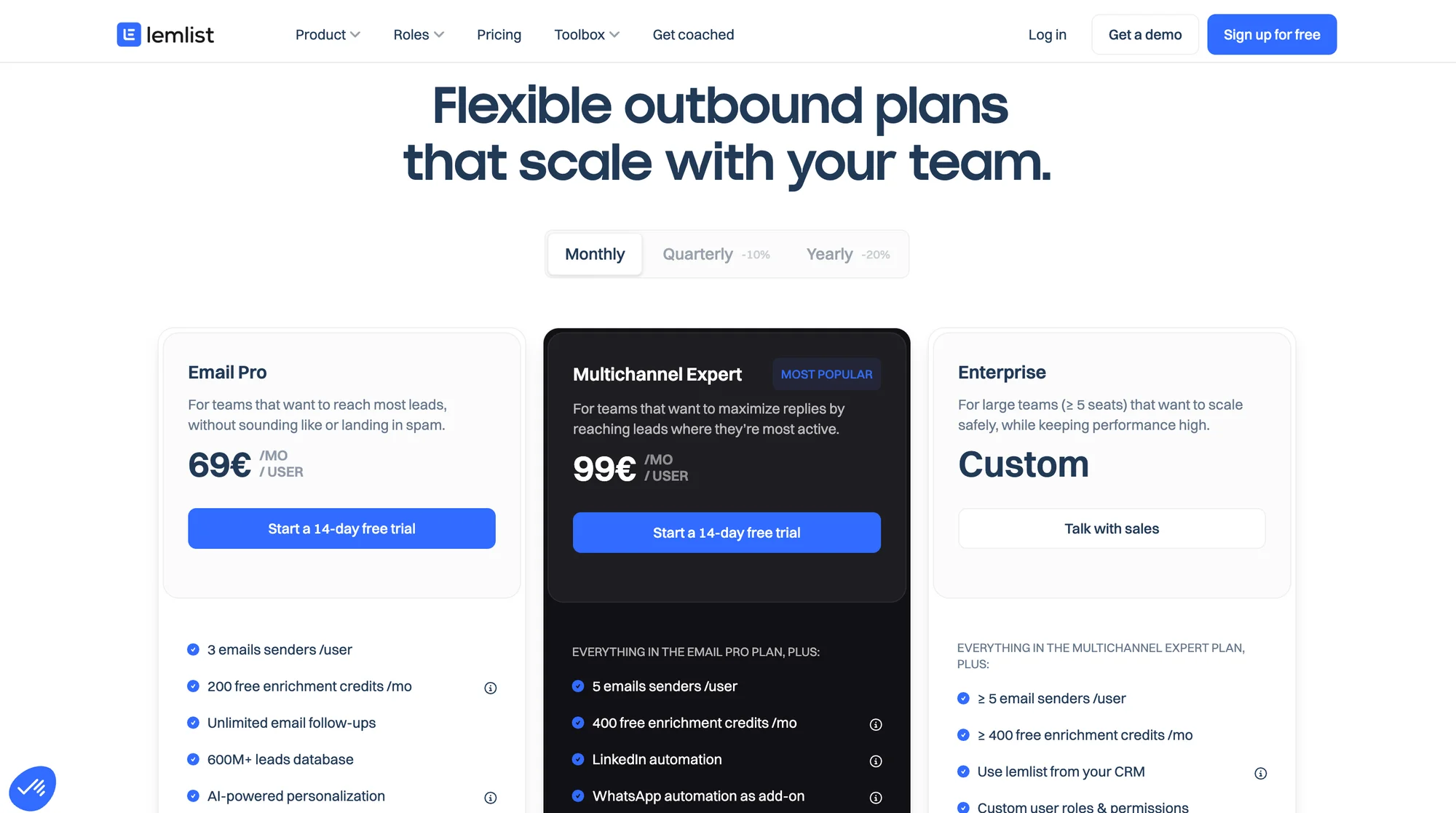
How much does Lemlist cost? Subscriptions start at €69 (≈ $80) per month, with a 14-day free trial available. Here’s an overview of the pricing plans: 👇🏻
What is Waalaxy? Features, Pricing & Reviews
Waalaxy is a prospecting tool designed to automate outreach strategies on LinkedIn and via email. 👽
Available as a Chrome extension, it provides a secure, easy-to-use solution that doesn’t require an existing database or technical skills. 😇
With Waalaxy, there are no restrictive limits: users can send up to 200 connection requests per week — around 800 per month. 👀
Many outreach tools on the market are built for technical users. They often come packed with advanced features, which can make them complex and difficult to use. 😅
Waalaxy positions itself as one of the simplest B2B prospecting tools available today. If you’re looking for a solution that combines ease of use with strong performance, it aims to offer exactly that. 😇
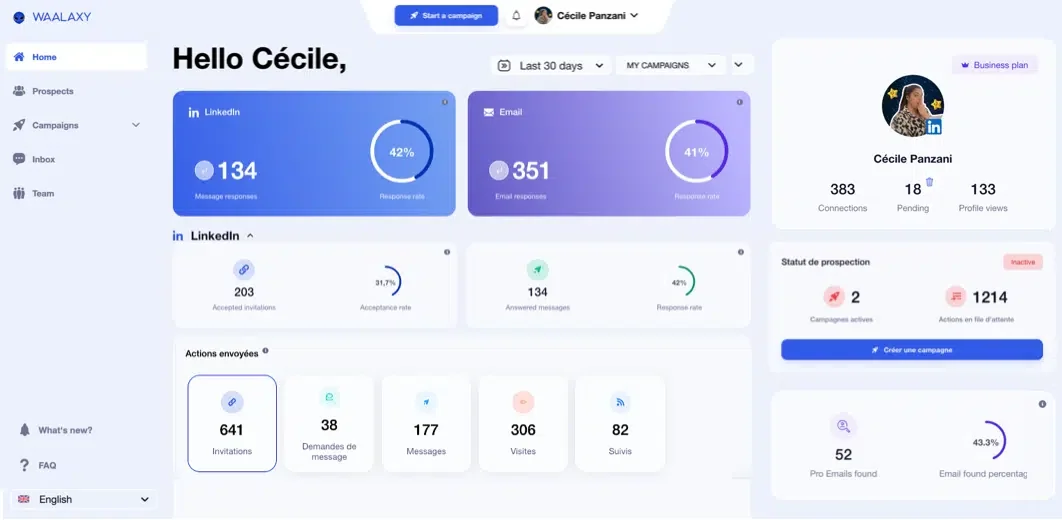
It isn’t just an email outreach tool like Lemlist. It combines LinkedIn and email into ready-to-use multichannel sequences that are simple to launch and easy to manage. If you want to boost B2B lead generation without juggling three or four different tools, Waalaxy is built for exactly that. 😎
Waalaxy offers: 👇
🟣 Integrations with popular CRMs and third-party tools such as Salesforce, noCRM, and others.
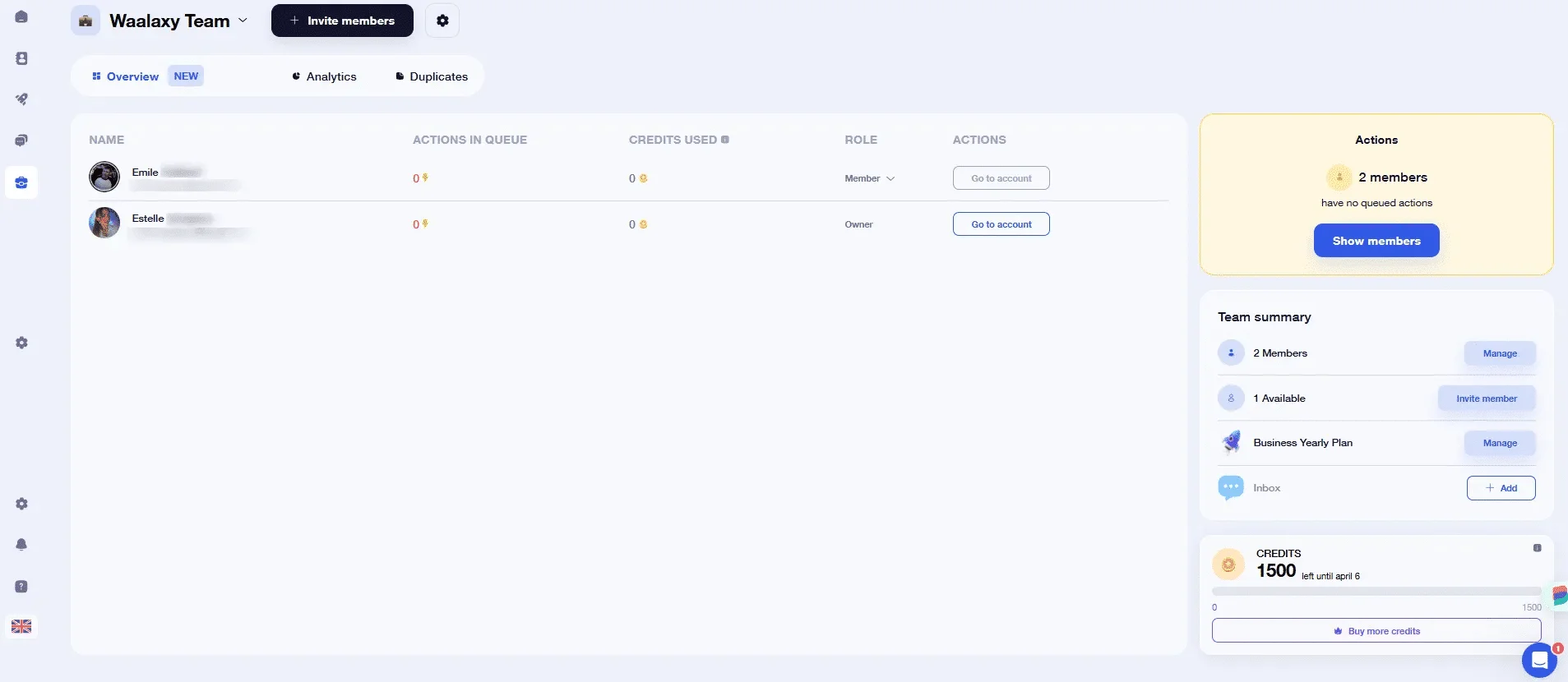
🟣 Team plans designed for sales teams, freelancers, and agencies, allowing multiple users to collaborate, share templates, and manage campaigns together. One subscription can be connected to multiple LinkedIn accounts.
🟣 A built-in Email Finder to retrieve professional email addresses from prospects.
🟣 Automated cold email campaigns and multistep outreach sequences.
🟣 Access to Skipcall for meeting booking and scheduling.
🟣 Easy-to-launch LinkedIn outreach campaigns with pre-configured workflows.
🟣 Automatic lead import to eliminate manual data entry.
🟣 A unified Inbox where all replies are centralized, with filters and sorting options to help you respond efficiently.

🟣 Automatic prospect import based on LinkedIn interactions such as profile visits or post comments.
🟣 AI-powered interest scoring to identify and prioritize the most engaged prospects.
Waalaxy reviews
According to users, Waalaxy’s biggest strength is its intuitive and easy-to-use platform. Sequences and templates are available directly within the tool, organized by category — from beginner to expert level. 💪🏼
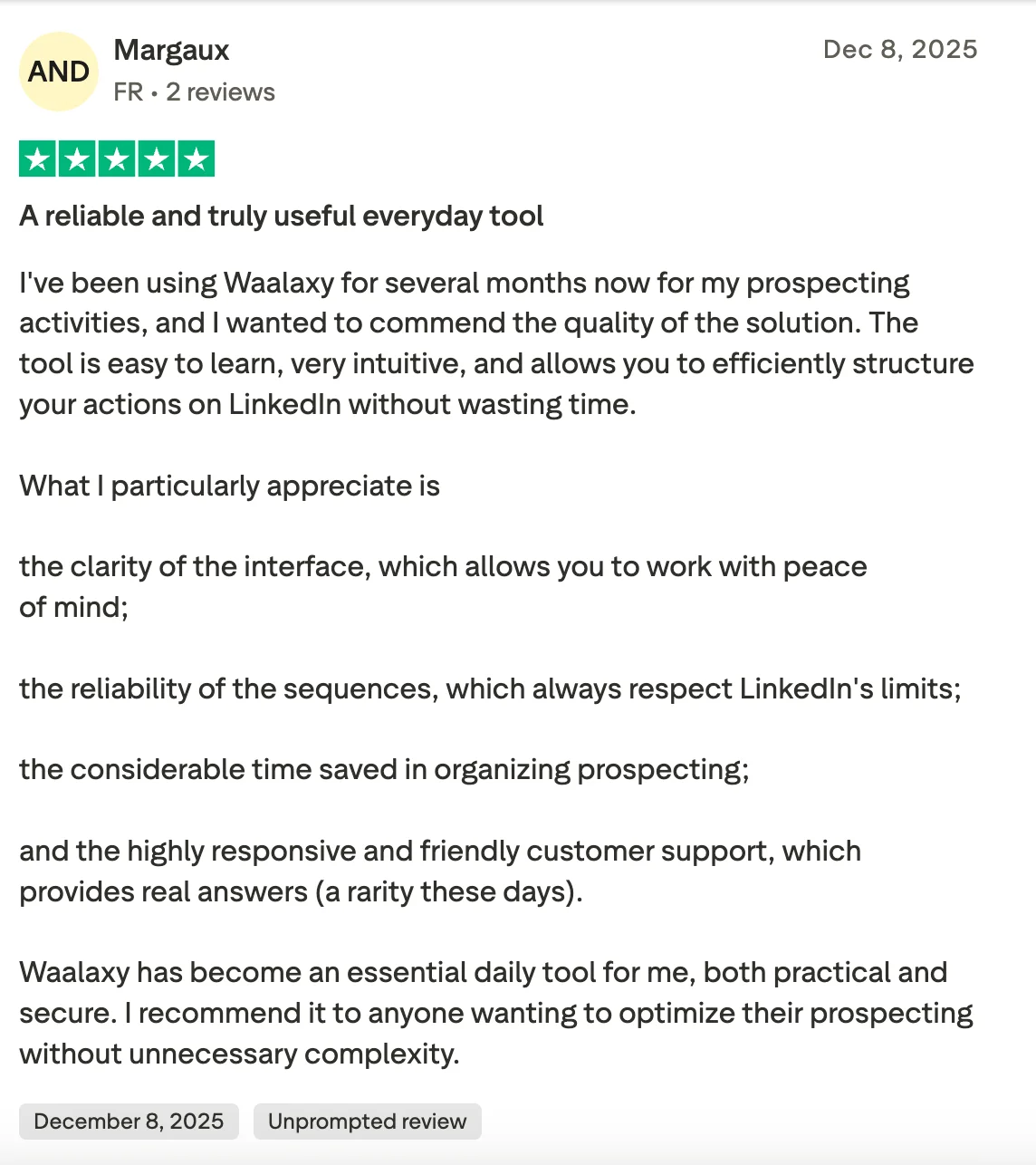
Users also appreciate that the tool is available in 10 languages, making it easier to assist customers worldwide. 🌍 Customer support is frequently praised as responsive and helpful, which contributes to high satisfaction rates.
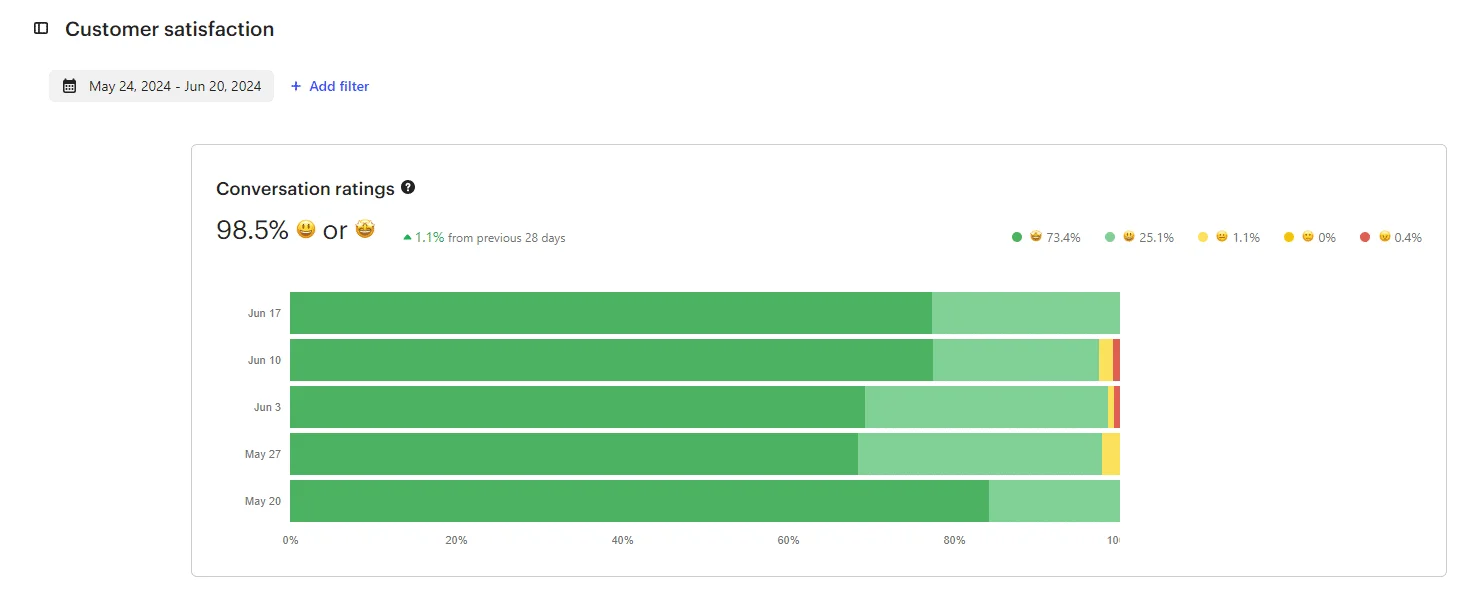
However, some users mention the absence of a mobile app (which is common among prospecting tools for practical and security reasons) and note that the extension is currently available only on Chrome.
If you’d like to see how it works, you can explore the “young astronaut” onboarding experience here. 👇🏼
Waalaxy pricing
Waalaxy offers flexible plans designed to scale with your outreach volume and business strategy.
[waalaxy_price_table]
Waalaxy vs lemlist: What Are the Similarities and Differences in Functionality?
Before deciding which tool best fits your strategy, it’s important to understand how each platform works and which interface feels the most intuitive for you. ⬇️
1) Automated prospecting campaigns
There’s no better way to start this comparison than by launching an outreach campaign in both tools. Let’s dive in. 👇🏼
How does Waalaxy work?
Click on “Start a campaign”, and you’ll enter Waalaxy’s control center 🛸, where you can build and manage your campaign while defining the path your leads will follow.

You have several options:
1️⃣ Beginner: ready-to-use sequences designed for getting started (invitation, message, profile visit…)
2️⃣ LinkedIn: sequences built around LinkedIn actions (visit + invitation + message…)
3️⃣ LinkedIn + Email: multichannel sequences combining LinkedIn actions, enrichment, and email outreach (visit + invitation + email…)
Each sequence is clearly structured, and Waalaxy guides you step by step. 👇🏼 You can also apply different filters to build your ideal workflow. 🧚🏻♀️
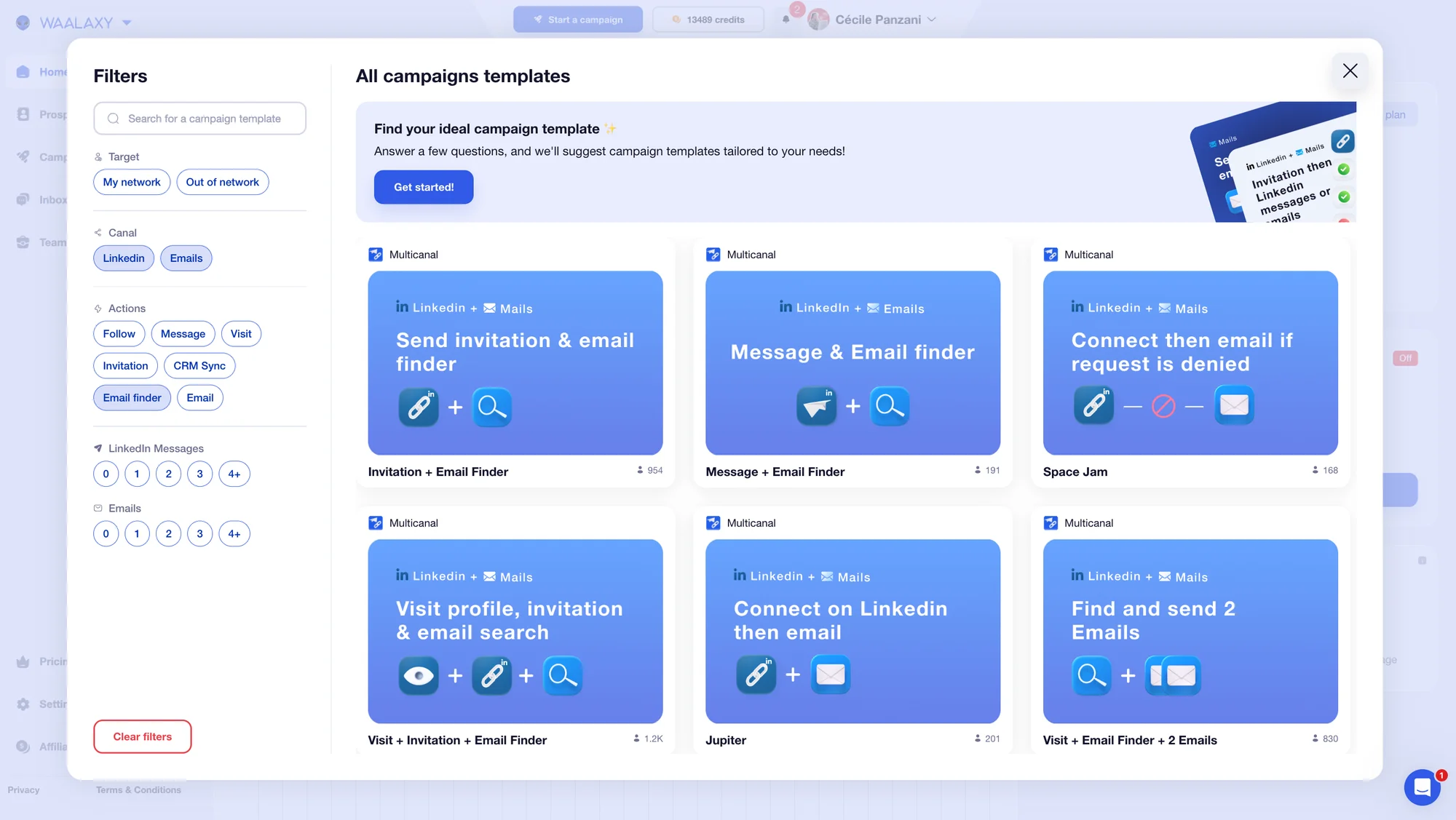
You can then name your campaign (optional, but recommended to stay organized as you scale). 👀
Next, you’ll be able to add prospects in several ways:
🥇 From your existing lists (if previously created).
🥈 Via auto-import (when someone performs an action connected to your LinkedIn account).
🥉 Directly from LinkedIn through the Waalaxy Chrome extension (using LinkedIn search or ).
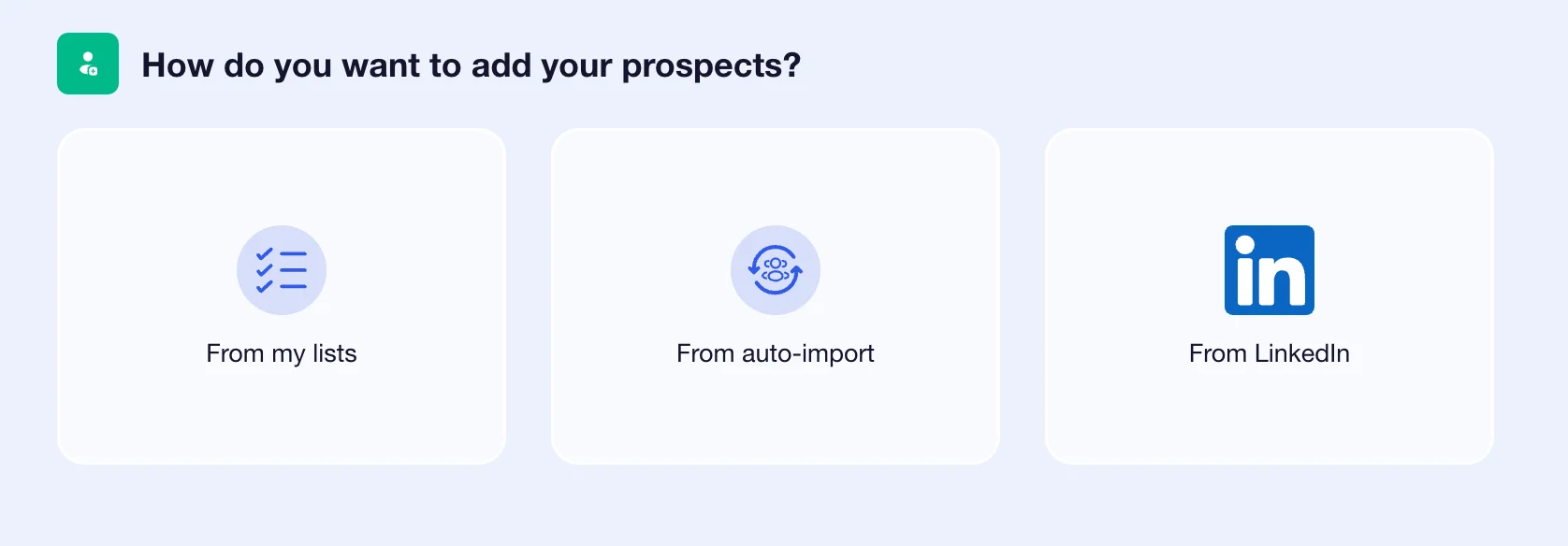
Once your prospects are imported, you can add a personalized note. 🗒️
How does Lemlist work?
To launch a campaign, go to the menu and click on “Create campaign.”
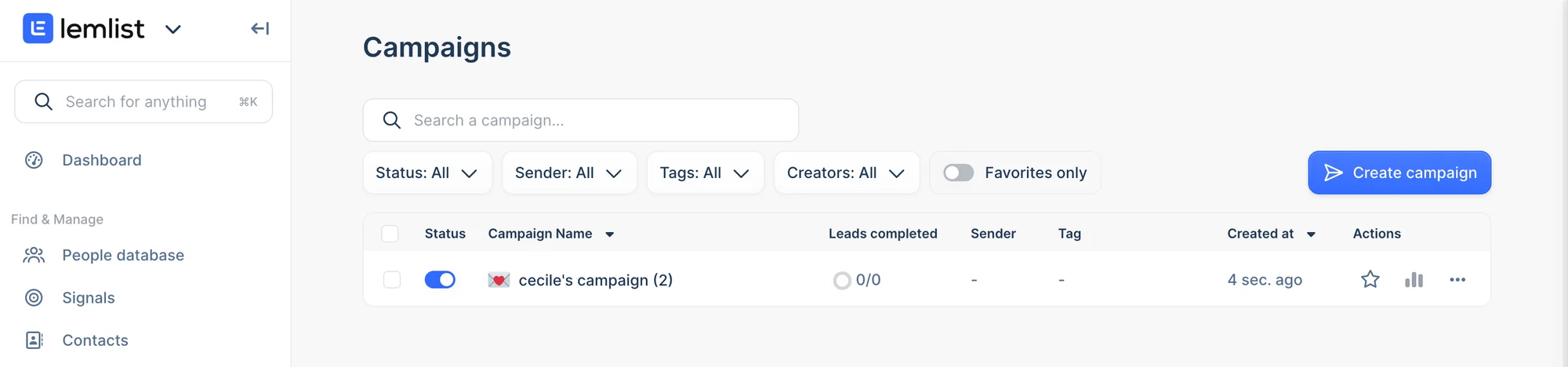
You'll have 3 choices:
1️⃣ Create with AI: provide key information, and Lemlist generates your sequence automatically.
2️⃣ Create manually: build your workflow step by step (send email, visit profile, invitation, message…).
3️⃣ Campaign library: duplicate a pre-built campaign based on your goal, audience, and strategy.
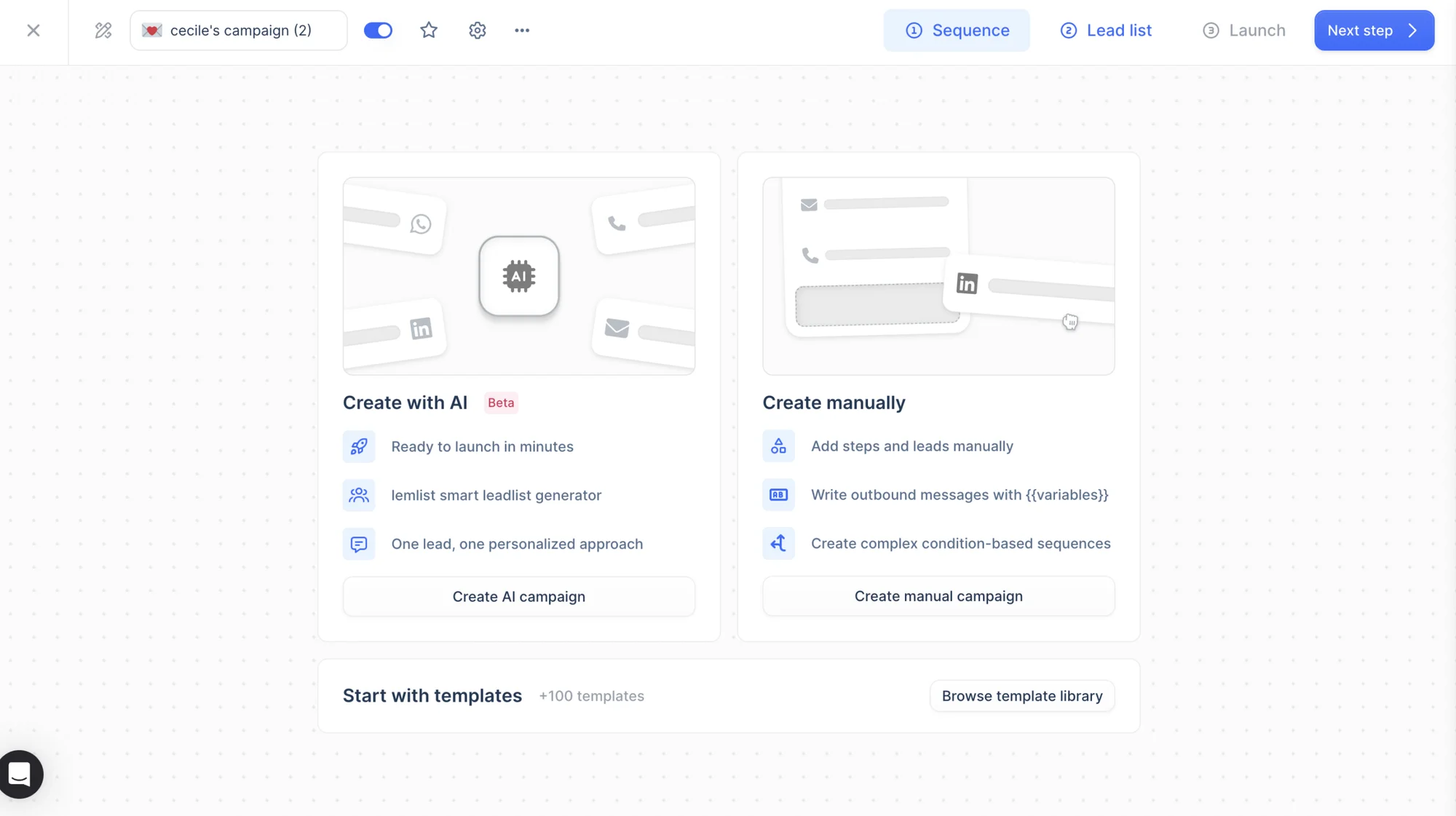
For this example, we selected the sequence “Send a message on LinkedIn.” 📨
You’ll then access a live view of your sequence. At this stage, you can modify waiting times between actions and add advanced personalization using Liquid syntax. 👀
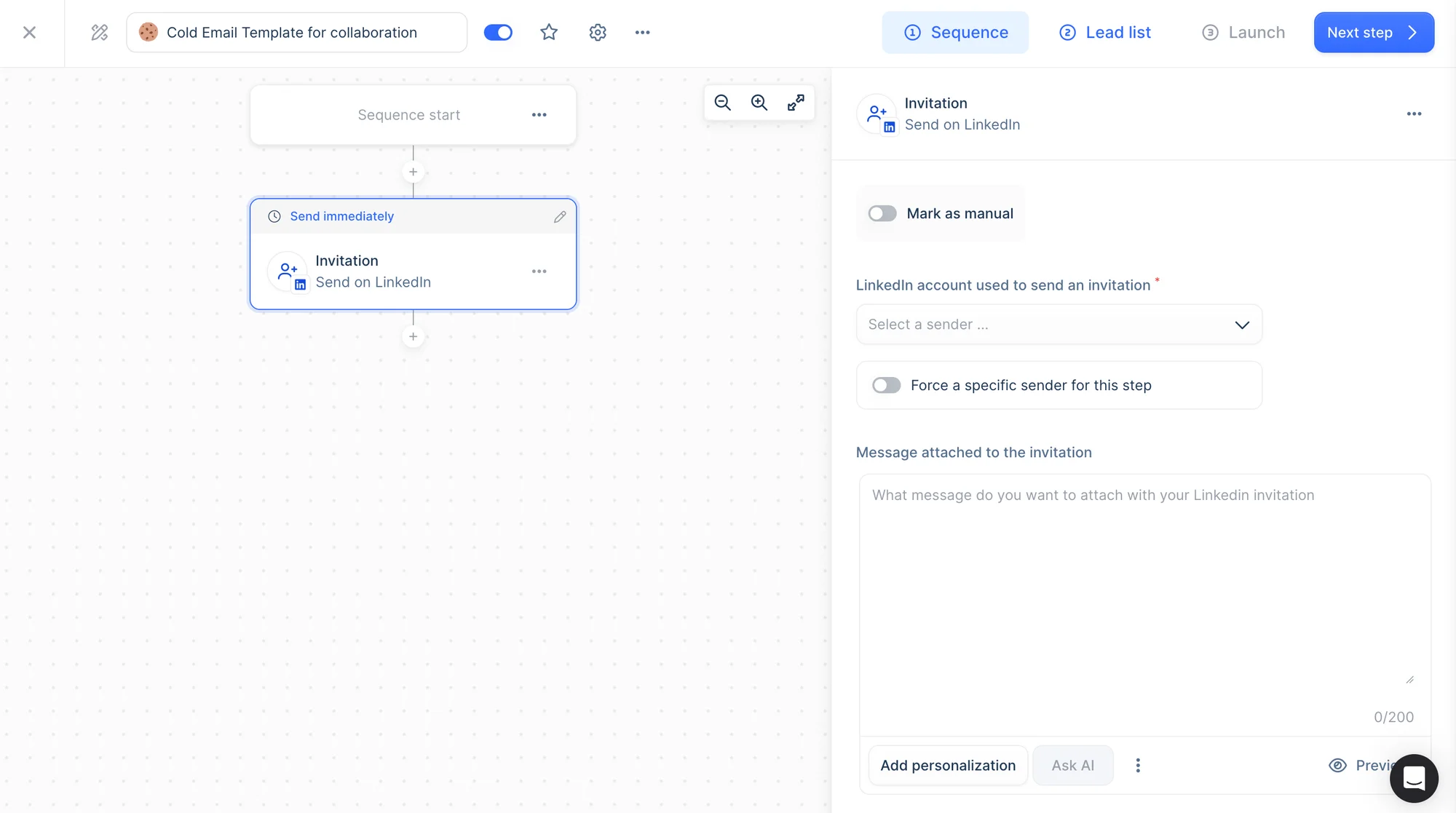
You can either keep the campaign as it is or add additional steps. For this example, we’ll leave it unchanged.
Next, you can import prospects in several ways:
🔵 From a CSV file.
🔵 Manual entry.
🔵 From LinkedIn.
🔵 Via CRM integrations.
🔵 Through the API.
🔵 Automatically generated from Lemlist’s database using advanced filters (country, job title, school, skills, etc.).
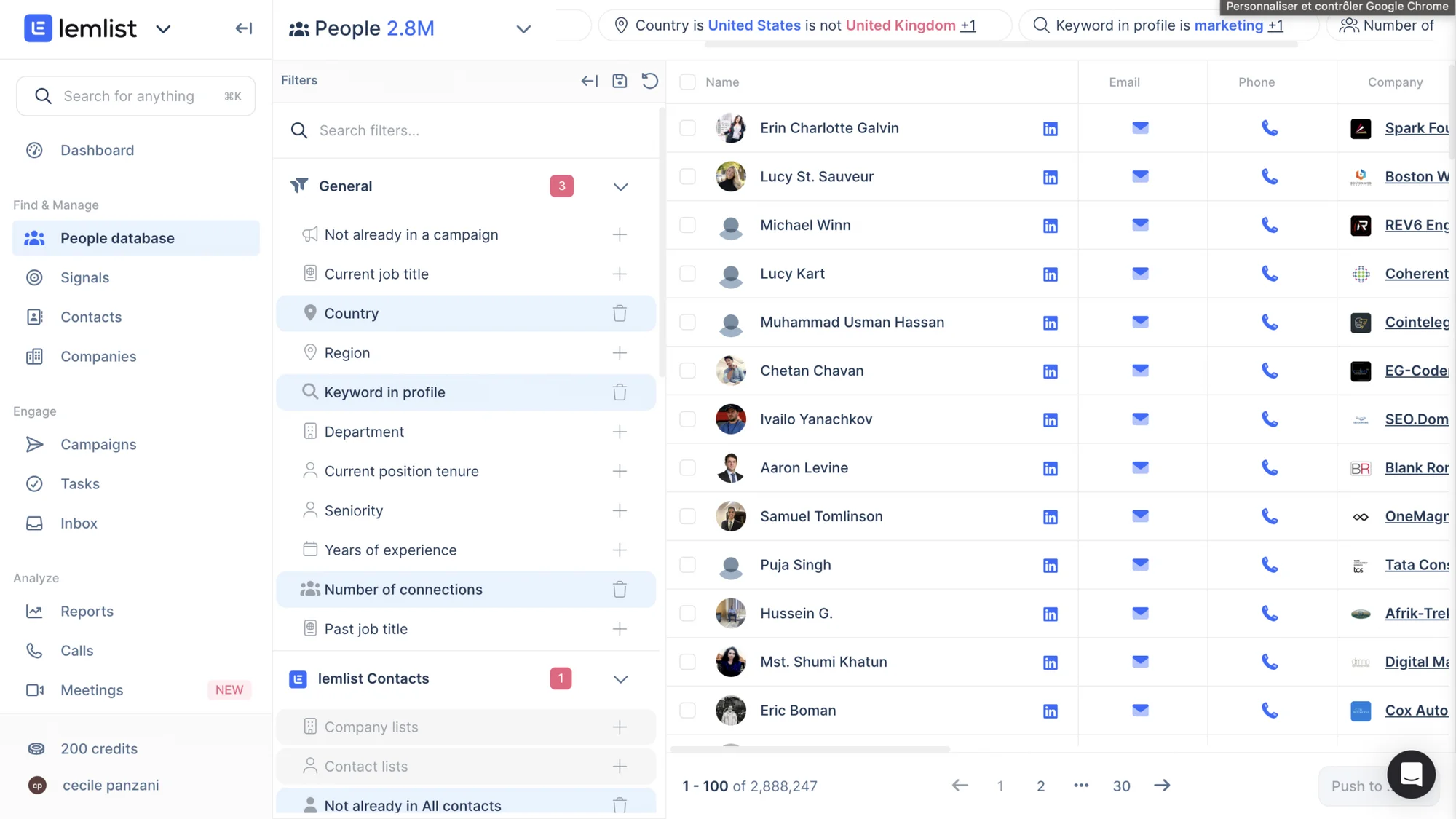
Before moving forward, here’s a quick comparison chart! 👇🏼
Features | Waalaxy | Lemlist |
|---|---|---|
Automated emailing | ✅ | ✅ |
Message personalization | ✅ | ✅ |
AI writing assistant | ✅ | ✅ |
Multi-channel prospecting | ✅ (LinkedIn-centered) | ✅ (email-centered) |
Third-party integrations | ✅ | ✅ |
Automated email sequences | ✅ | ✅ |
Automated follow-ups & reminders | ✅ | ✅ |
A/B testing | ✅ | ✅ |
Liquid syntax | ❌ | ✅ |
Beginner-friendly for outreach | ✅ | ❌ |
Built-in database | ❌ | ✅ |
Import leads from LinkedIn via Chrome extension | ✅ | ✅ |
2) Message customization and scripting
Now that your campaigns are set up 👀, let’s move on to message creation.
How does it work with Waalaxy?
Once inside your sequence, you can write your LinkedIn message directly in the editor. You can also get help from Waami, Waalaxy’s AI assistant designed to craft optimized outreach messages. 👇🏼
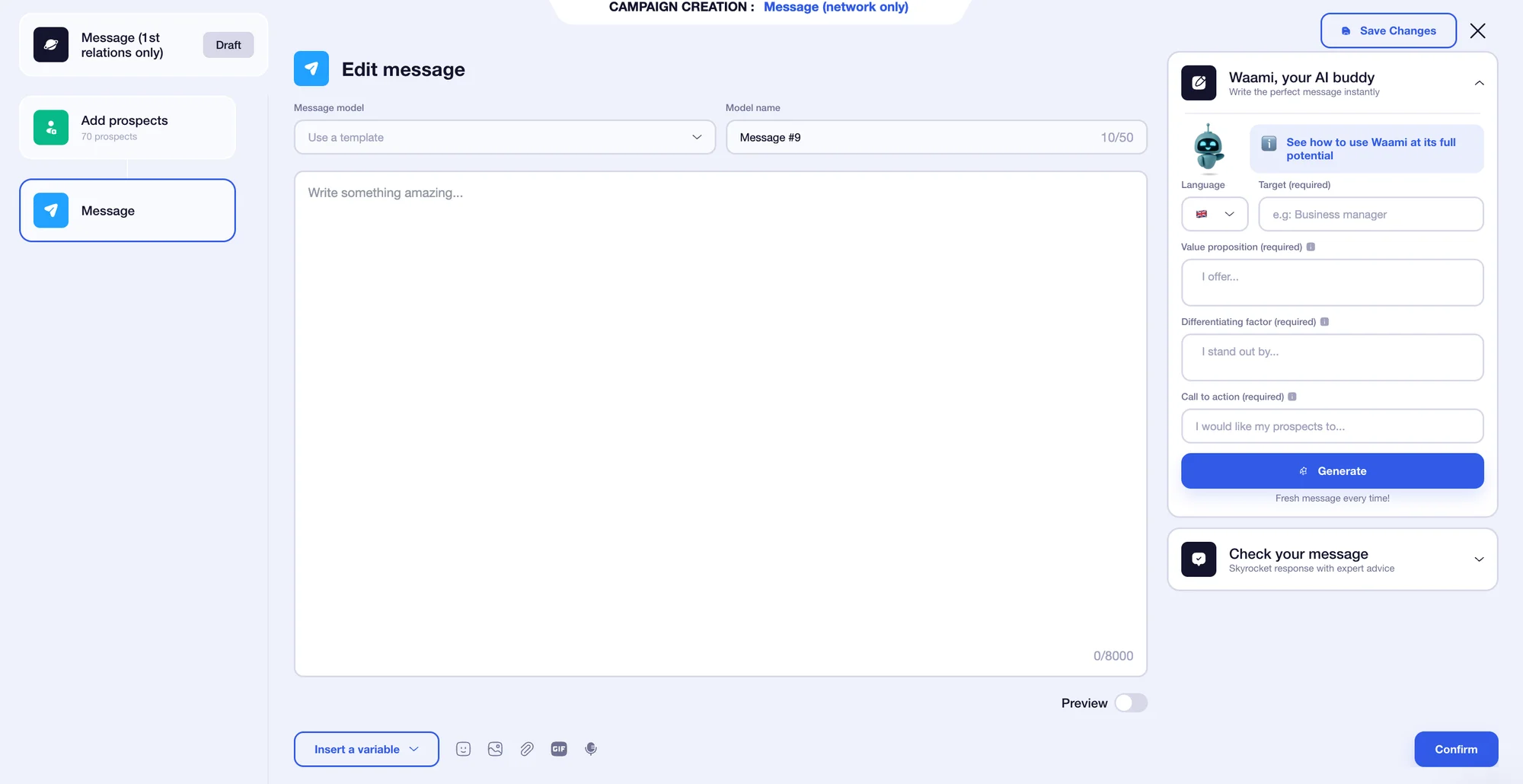
You have an 8,000-character limit, so knock yourself out 🍾 (within reason). You can enhance your message with:
🤔 Variables (first name, last name, and company).
📸 Images.
🔗 Attachment.
🎥 GIFs.
🗣️ Voice notes.
The bonus? You can preview your message directly on the same page to ensure your variables work properly. 🤩
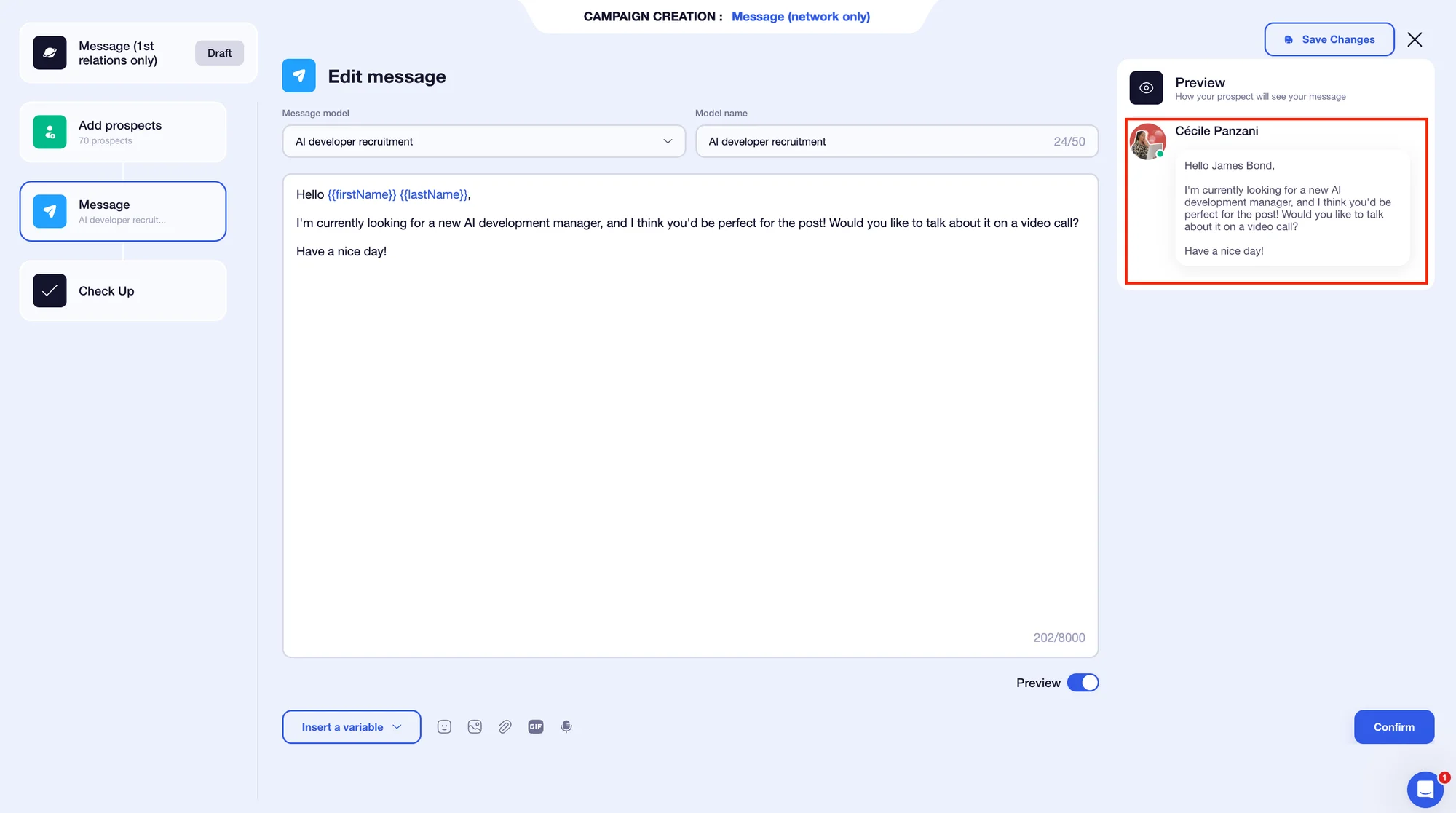
Another advantage: the interface focuses solely on your message, without distractions from the rest of the sequence. 👀
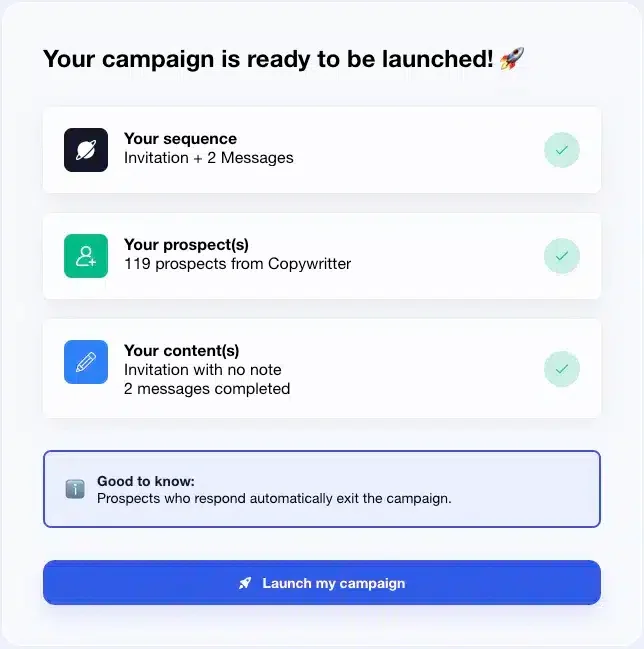
Once your messages are validated, you’ll see a summary of your campaign — then all that’s left to do is launch it. 🚀
What about Lemlist?
On Lemlist, your sequence and message editor appear on the same page, allowing you to personalize content while viewing your workflow.
Several personalization options are available: 👇🏻
🔵 Variables (first name, last name, company name, location, country…).
🔵 Liquid syntax (dynamic fields such as date, salutation, time-based greetings…).
🔵 AI assistance (shorten text, correct mistakes, adjust tone).
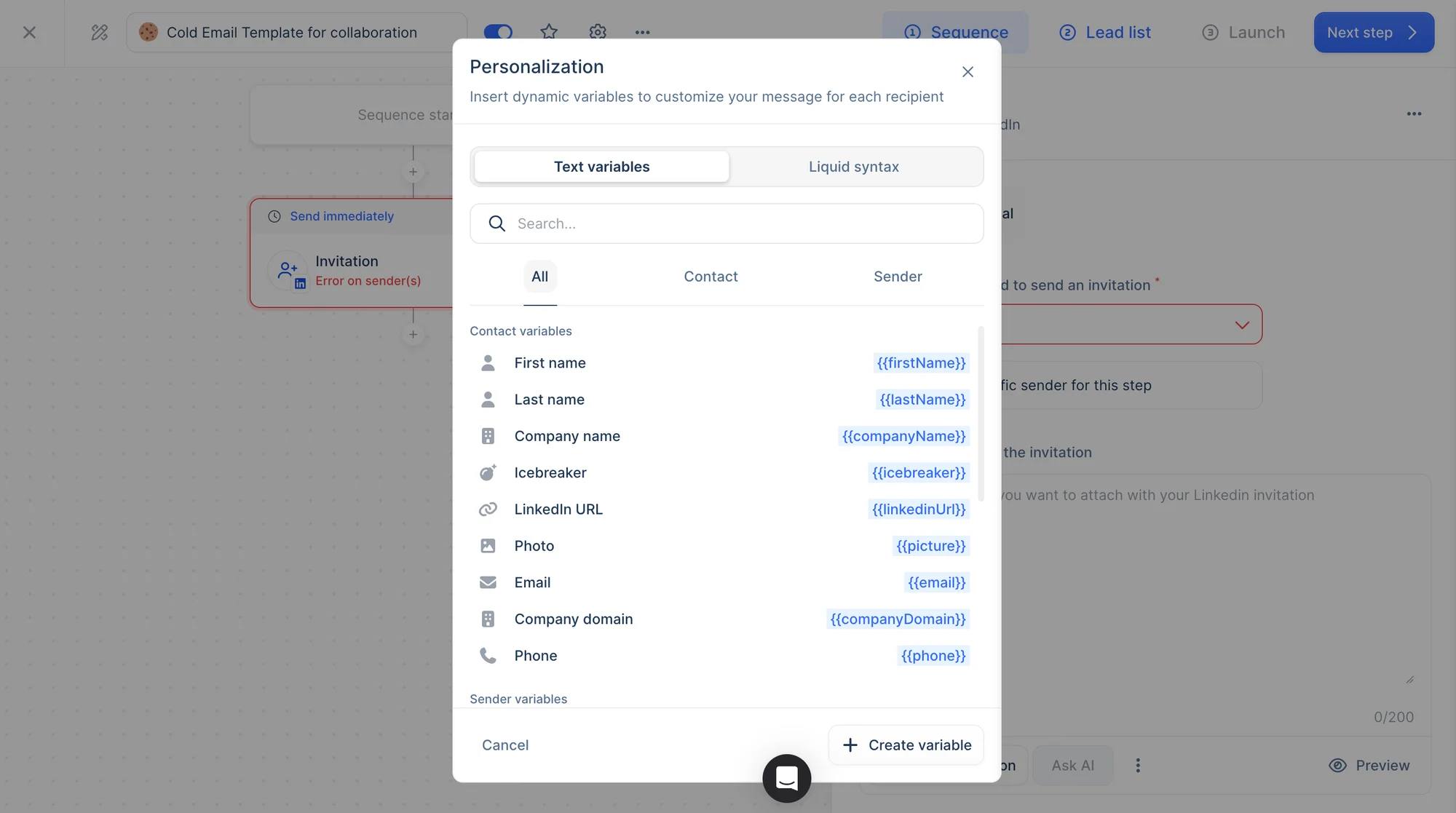
After finalizing your message, you’ll access a preview page where you can review it for each lead individually. 👀 Once validated, you can launch your campaign. 😇
3) Response management and engagement rate tracking
Once your campaigns are live, performance analysis becomes essential. That’s what we’ll explore next. 👀
How does it work with Waalaxy?
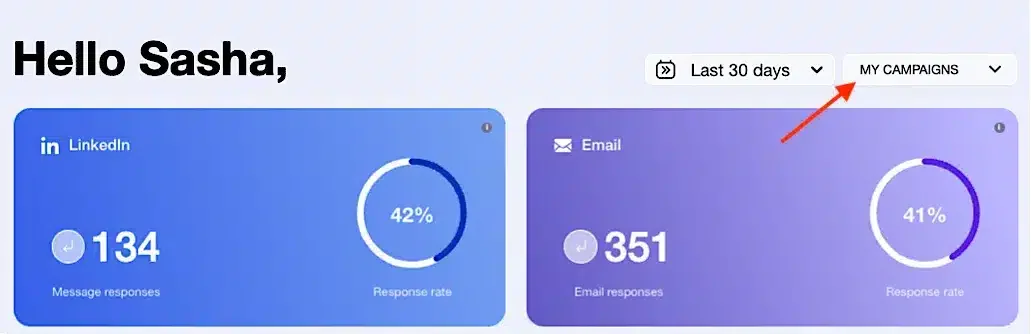
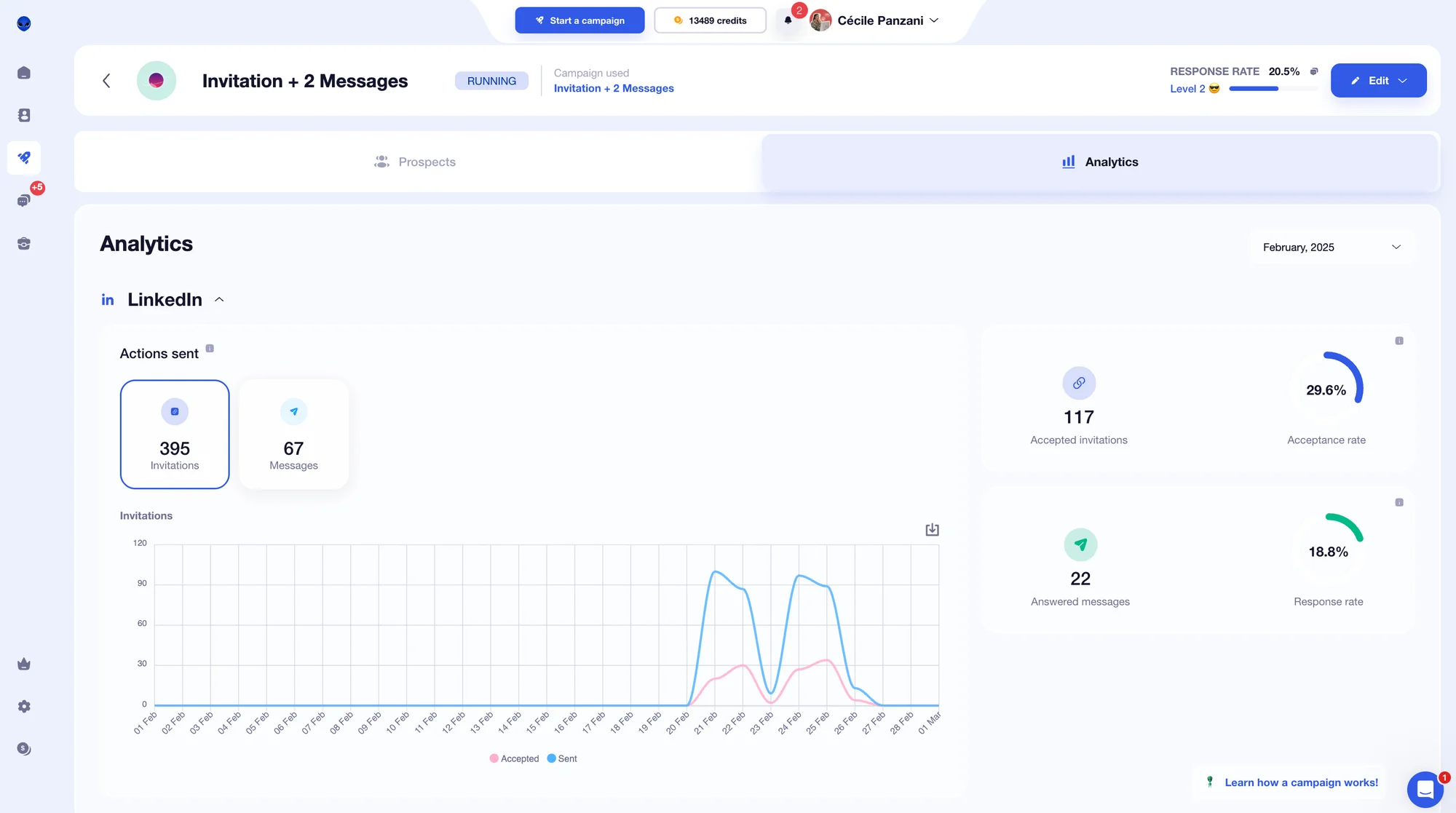
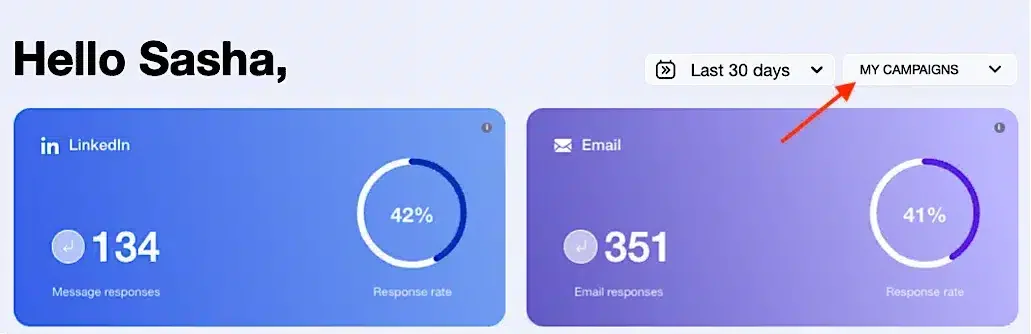
From the homepage, you get instant access to your campaign statistics. 😇 Two simple filters are available:
1️⃣ Campaign date range.
2️⃣ Campaign selection.
You’ll see two main sections:
LinkedIn automation (blue).
Email campaigns (purple, aligned with the brand design).
For each section, Waalaxy highlights two core metrics: volume and response rate. ✨
For LinkedIn campaigns, you can access three detailed views:
1️⃣ Accepted invitations and acceptance rate.
2️⃣ Replies and response rate.
3️⃣ A detailed breakdown of actions (displayed in charts and exportable as CSV files).
For , additional metrics include:👇🏼
Deliverability and spam rate.
Replies and reply rate.
Undelivered emails and bounce rate.
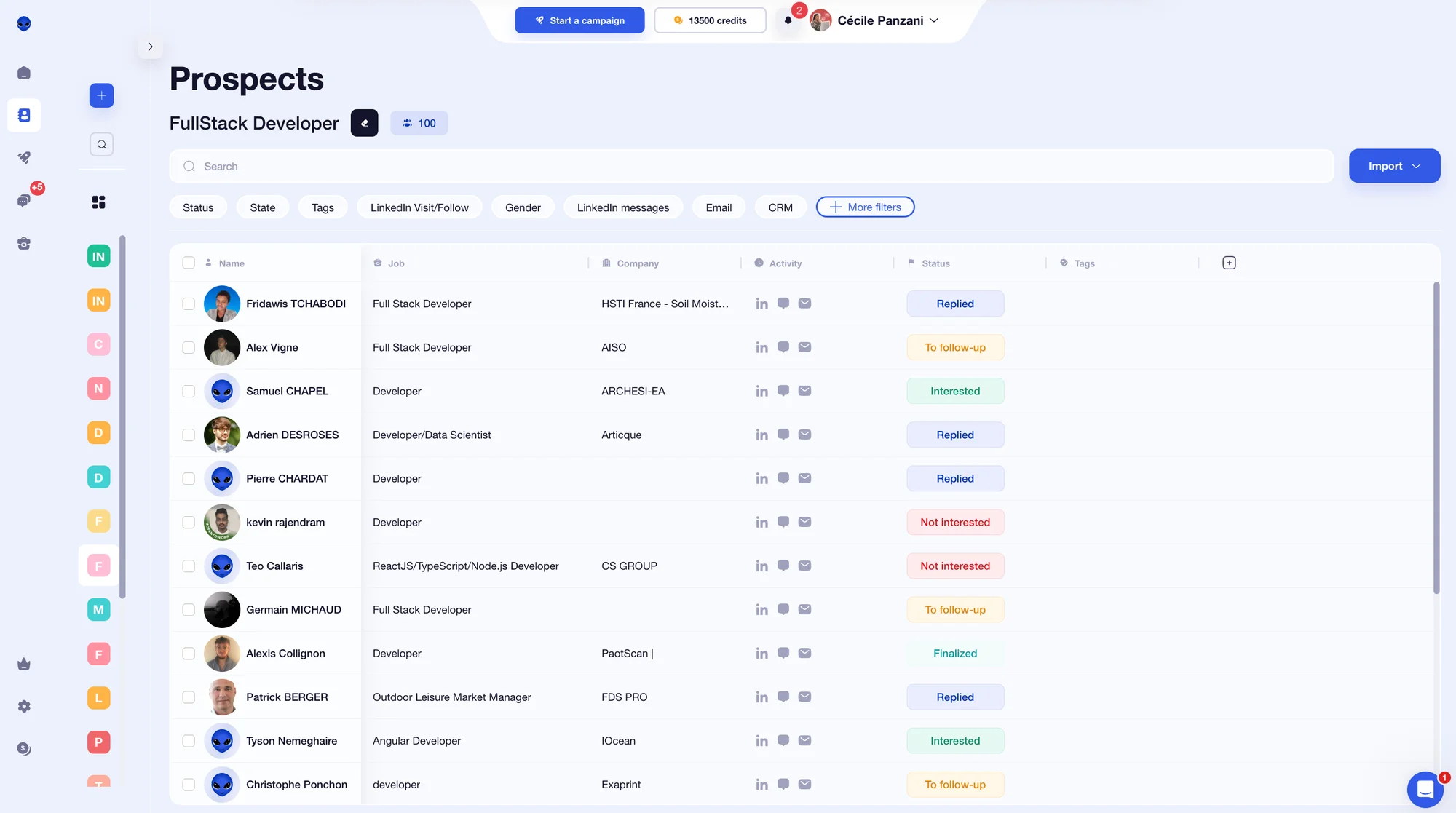
If you want deeper insights, the “Staff” section provides detailed campaign tracking. 👀 Inside, you’ll find: ⬇️
Prospect details by stage.
Prospect name with:
Stage
Status
Prospect list
Import type
Filters by import type, step, status, or tag.
What stands out with Waalaxy is the clarity of its analytics. You don’t need to be a data expert — a basic understanding of KPIs is enough to interpret your results quickly. 😇 In just a few clicks, you can see exactly how your campaigns are performing. 🤫
What about Lemlist?
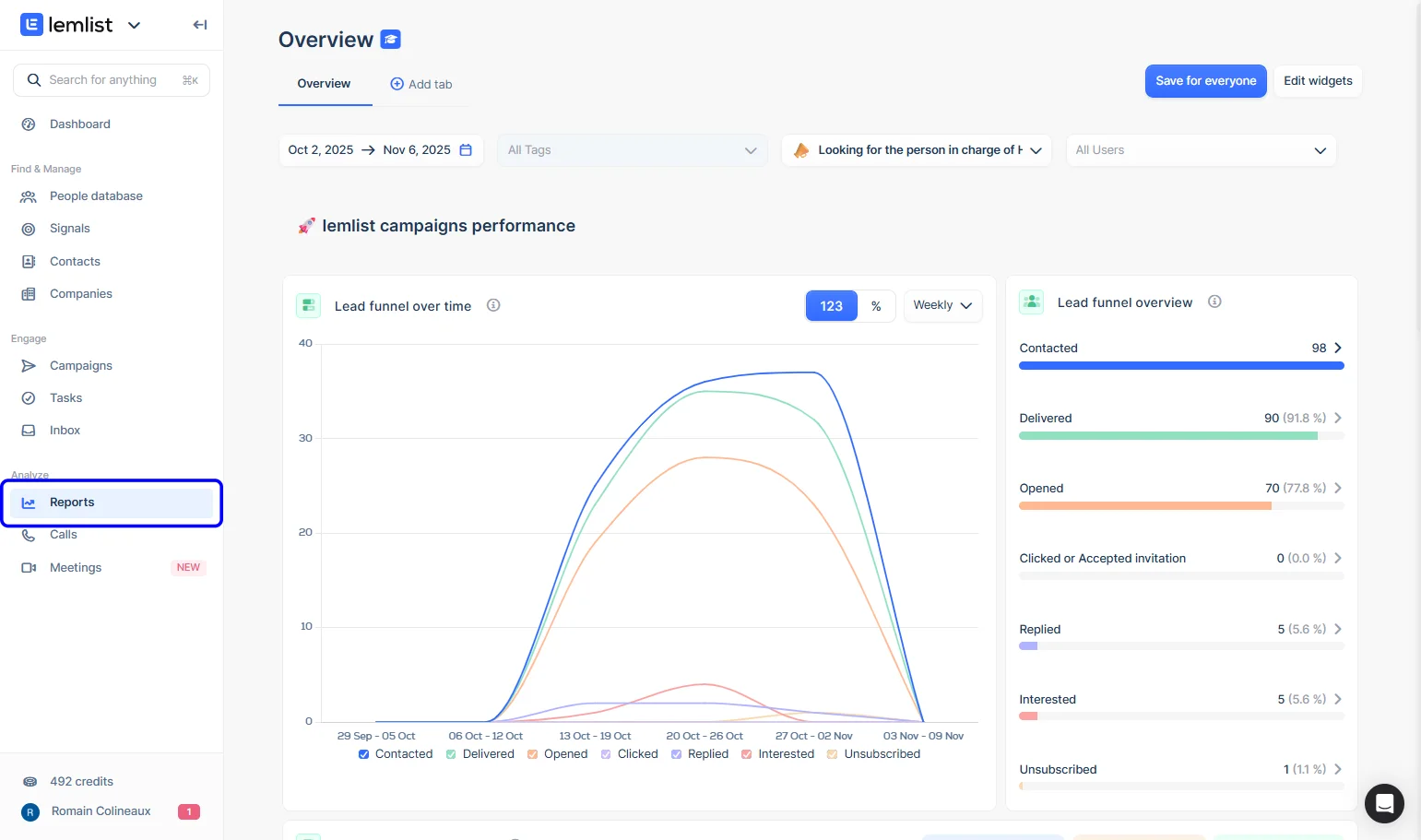
In Lemlist, go to the “Reports” section to access campaign statistics. You have two options:
1️⃣ Global dashboard view.
This provides an overview of all campaigns through multiple charts and widgets. The dashboard is fully customizable to match your reporting needs.
You can create dedicated analytics pages (for example, one per campaign) and choose from more than 10 chart templates to visualize performance data. 🫣
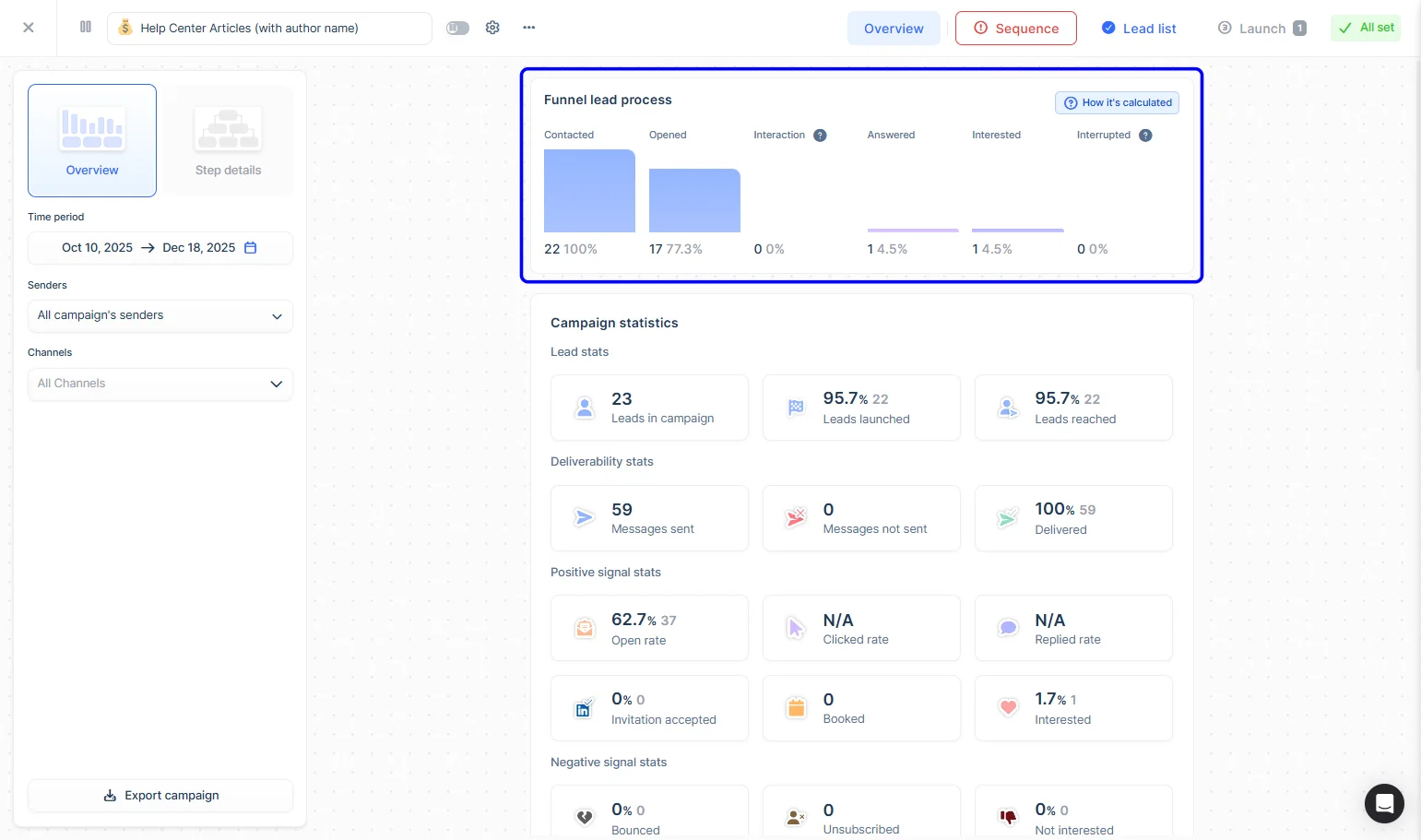
2️⃣ Campaign-specific analytics page.
Select a campaign to access detailed metrics, including:
ROI tracking.
Campaign status and progress.
Percentage of contacted, unsubscribed, and responding prospects.
Breakdown by campaign stage.
Detailed sequence performance.
4) Integration and Compatibility with Other Tools
To fully leverage the capabilities of both tools, you can connect them to your CRM. 🔗
How does it work with Waalaxy?
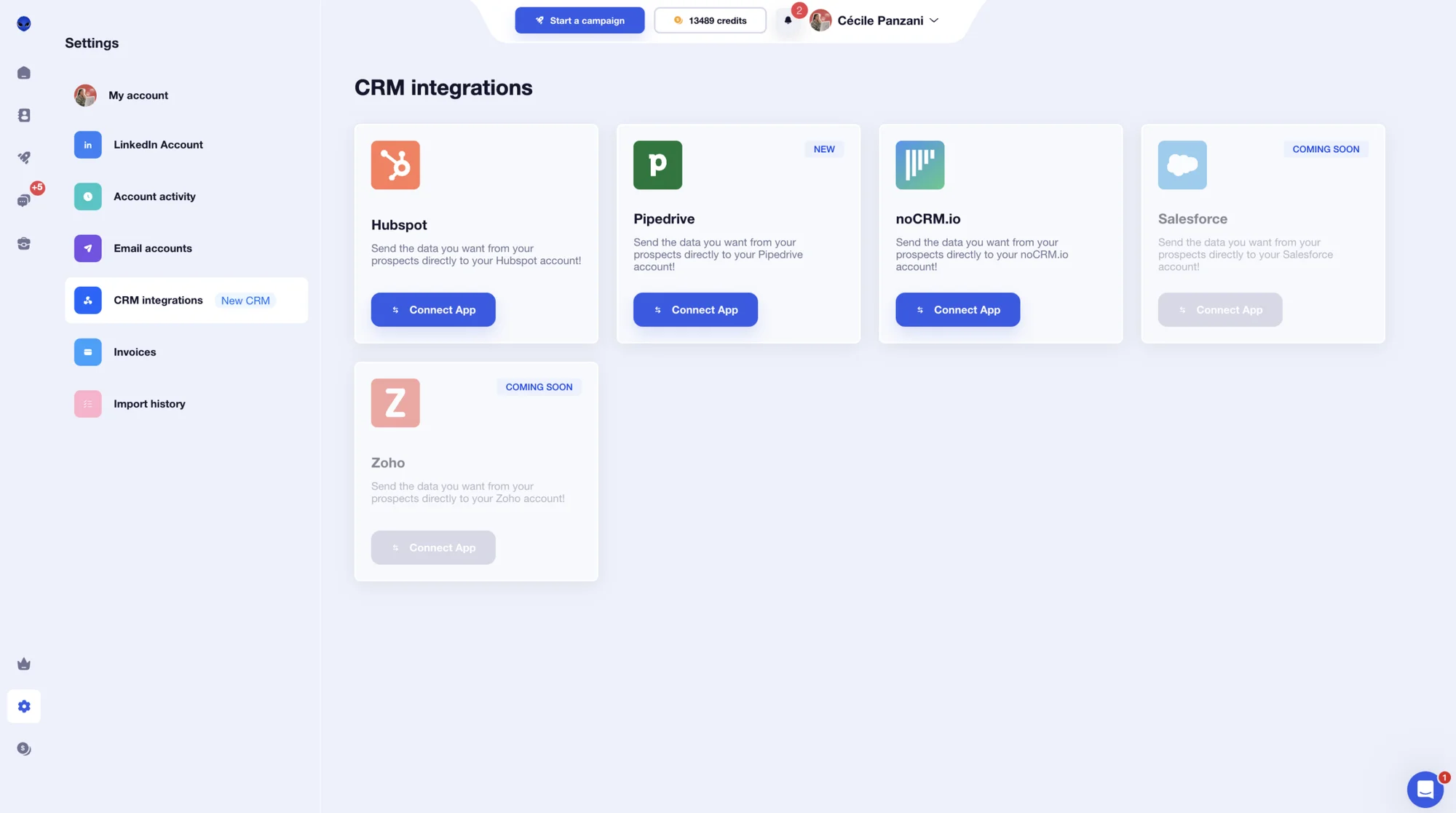
On Waalaxy, you can connect the platform to the following CRMs: 👇🏼
NoCRM
Pipedrive
Salesforce (soon)
Zoho (soon)
But that’s not all: directly from your campaigns, you can integrate the following tools: 👇🏼
Airtable
Brevo (Ex-SendinBlue)
Sellsy
Axonaut
Google Sheets…
All you have to do is connect the tools that fit your workflow. 😇
What about Lemlist?
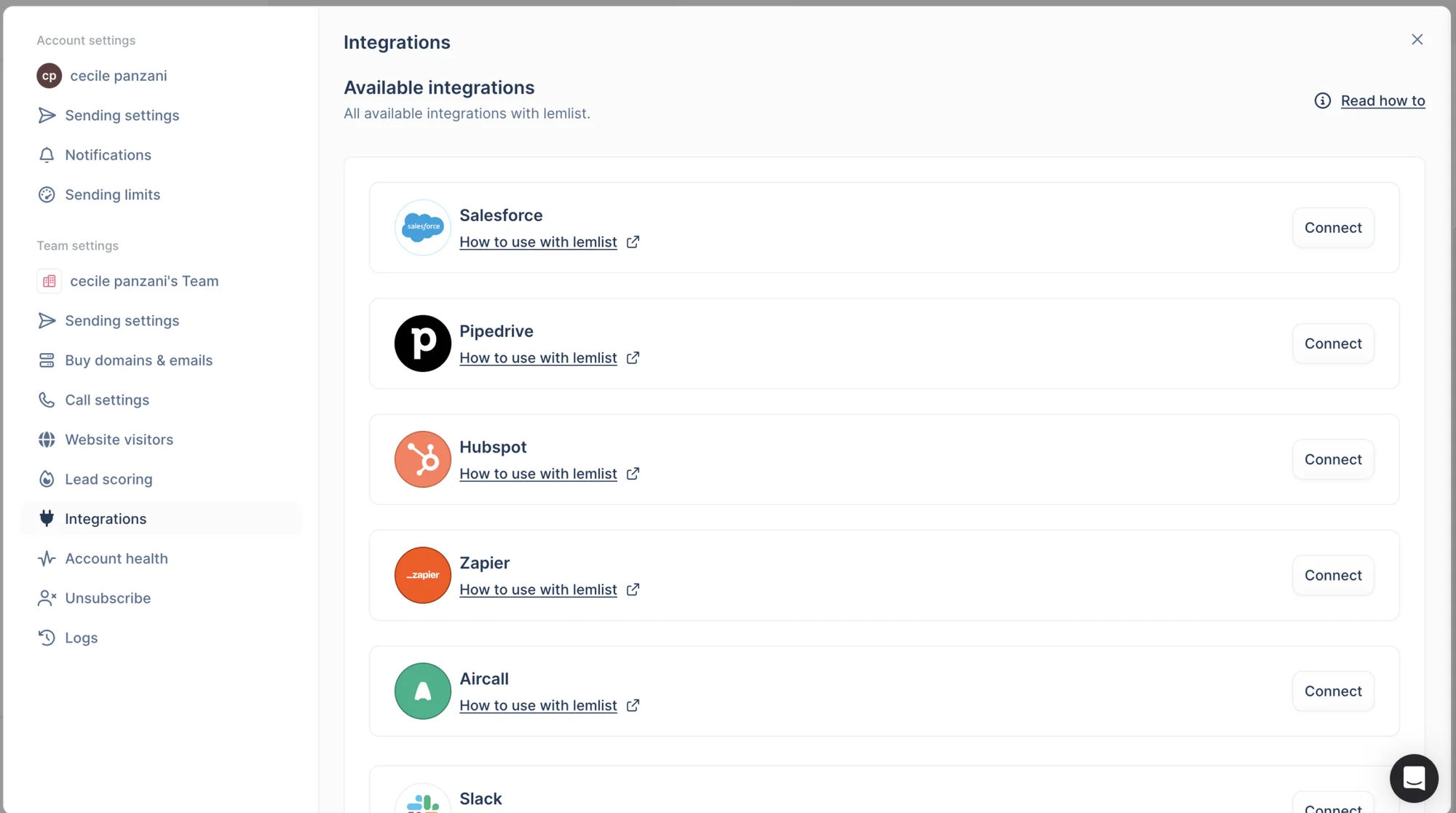
On Lemlist, here’s a non-exhaustive list of available integrations: ⬇️
Aircall.
Slack
Trello
Asana
Open AI
n8n
Make...
5) Ease of Use and User Interface
Now let’s talk about design and user experience. 💟
For Waalaxy
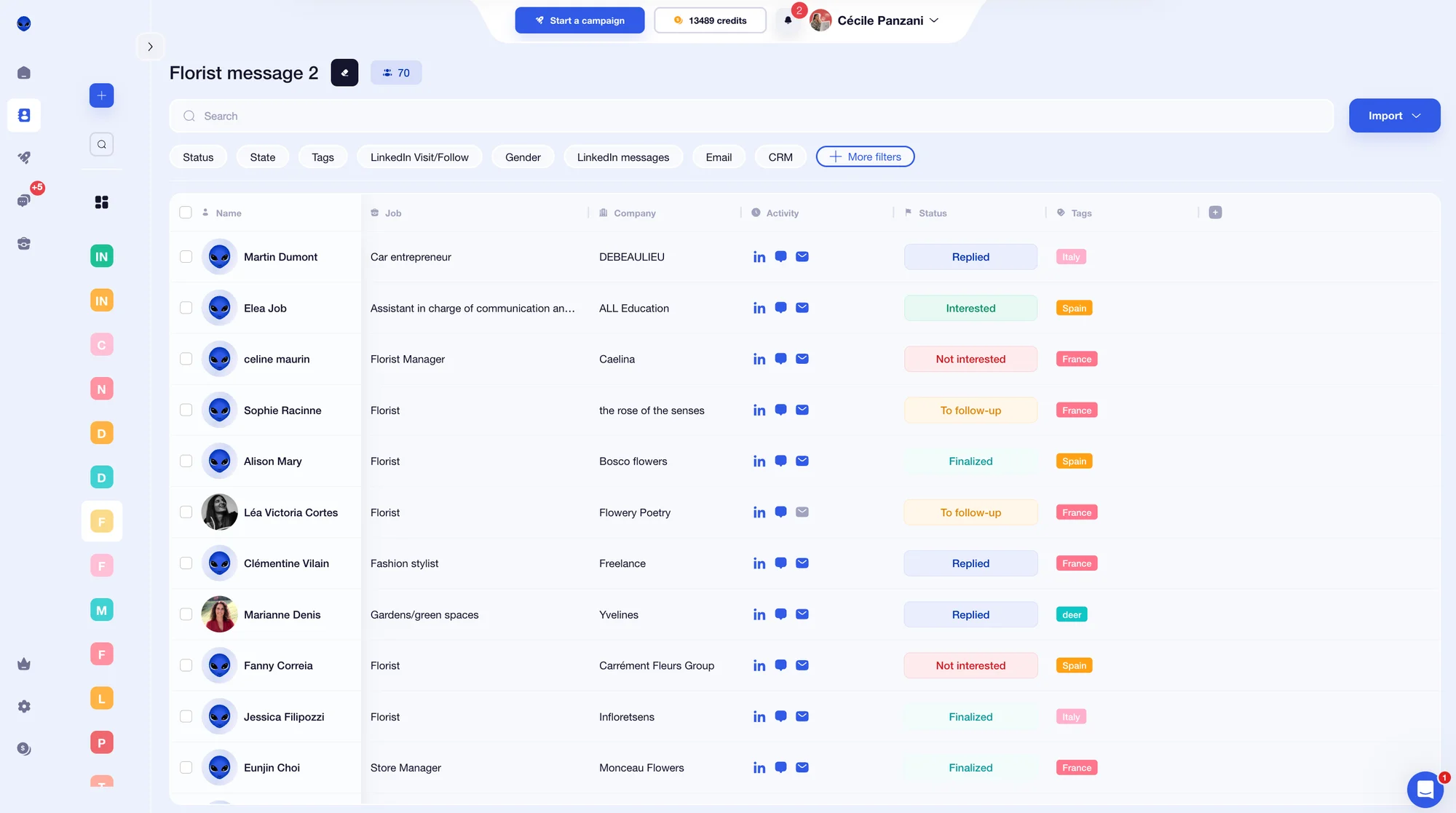
From the start, we appreciated Waalaxy’s clean and intuitive interface. The brand identity is consistent, colors are harmonious, and navigation feels straightforward. 😇
For example, you can select a campaign and instantly see the key performance indicators (response rate and number of replies). 📊
One detail we liked: the side menu collapses as you navigate, giving more space to focus on your content. 👀 Waalaxy clearly prioritizes visual consistency. 💟
On LinkedIn campaigns, you’ll notice a clear color system:
🩶 Grey: not connected
🧡 Orange: pending
💙 Blue: connected
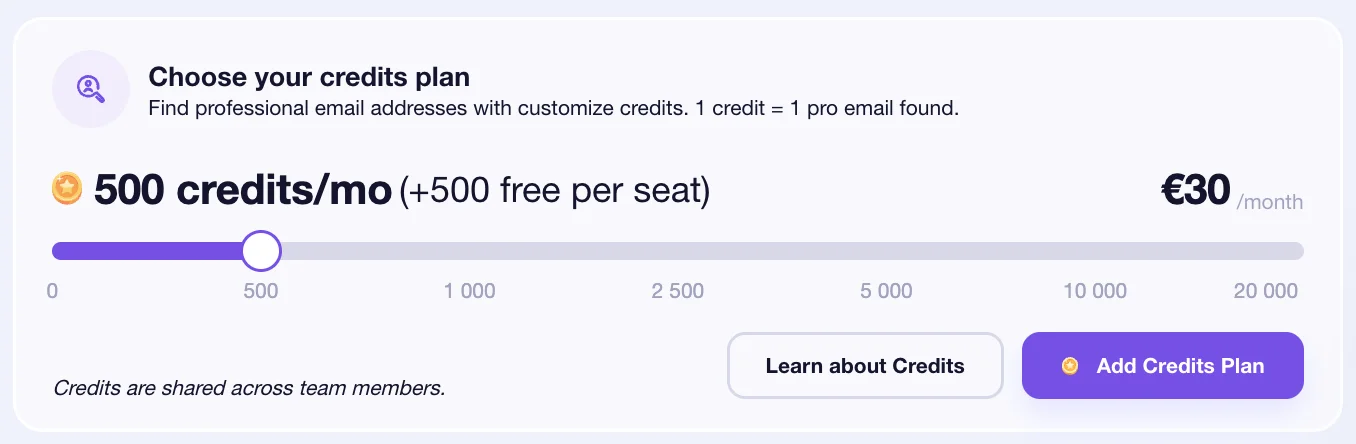
For the Email Finder feature, Waalaxy operates on a credit system. We found it convenient to see the number of available credits directly by clicking on your profile — no need to search through settings.
Waalaxy’s main strength is simplicity. You don’t need advanced technical skills to quickly create and analyze a campaign. 😅
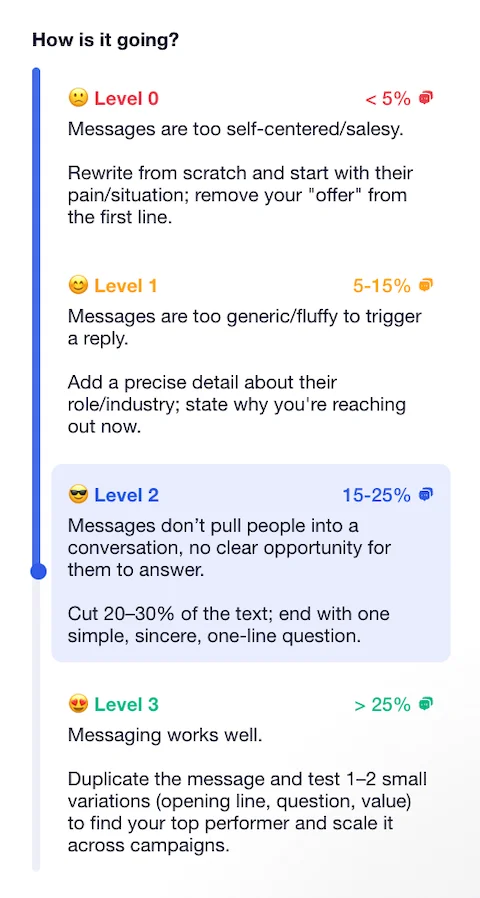
For instance, response rates are displayed with a performance scale from 0 to 3, accompanied by short explanations — all aligned with the distinctive Waalaxy universe. 🛸
Overall, the experience feels guided and supportive from start to finish. 🧘🏻♀️
For Lemlist
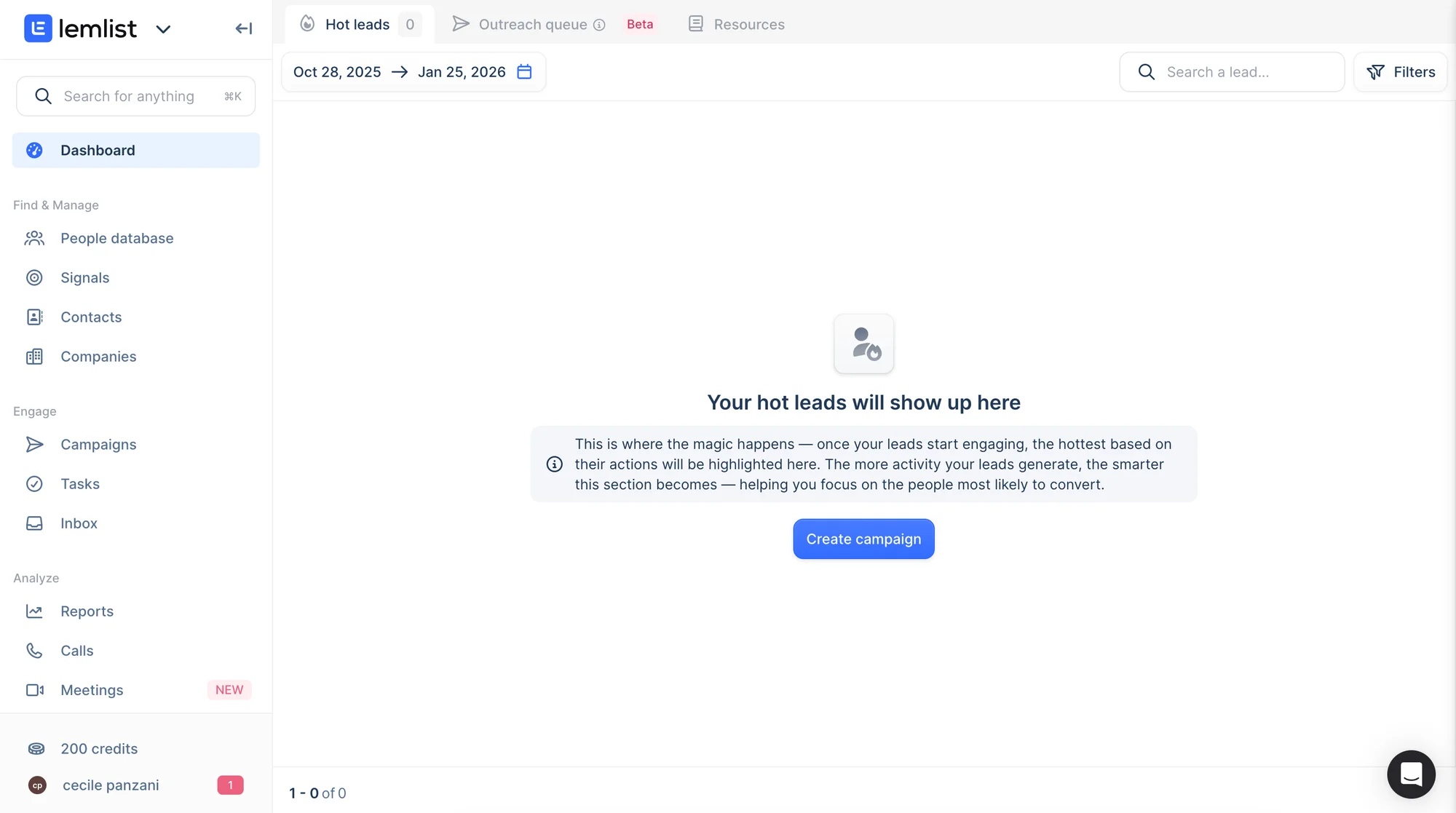
The visual identity is sober and minimal, using shades of gray and light blue. 🔵
The homepage is structured and generally easy to navigate. The menu follows a logical hierarchy, and icons appear when you hover over sections. 👍🏼
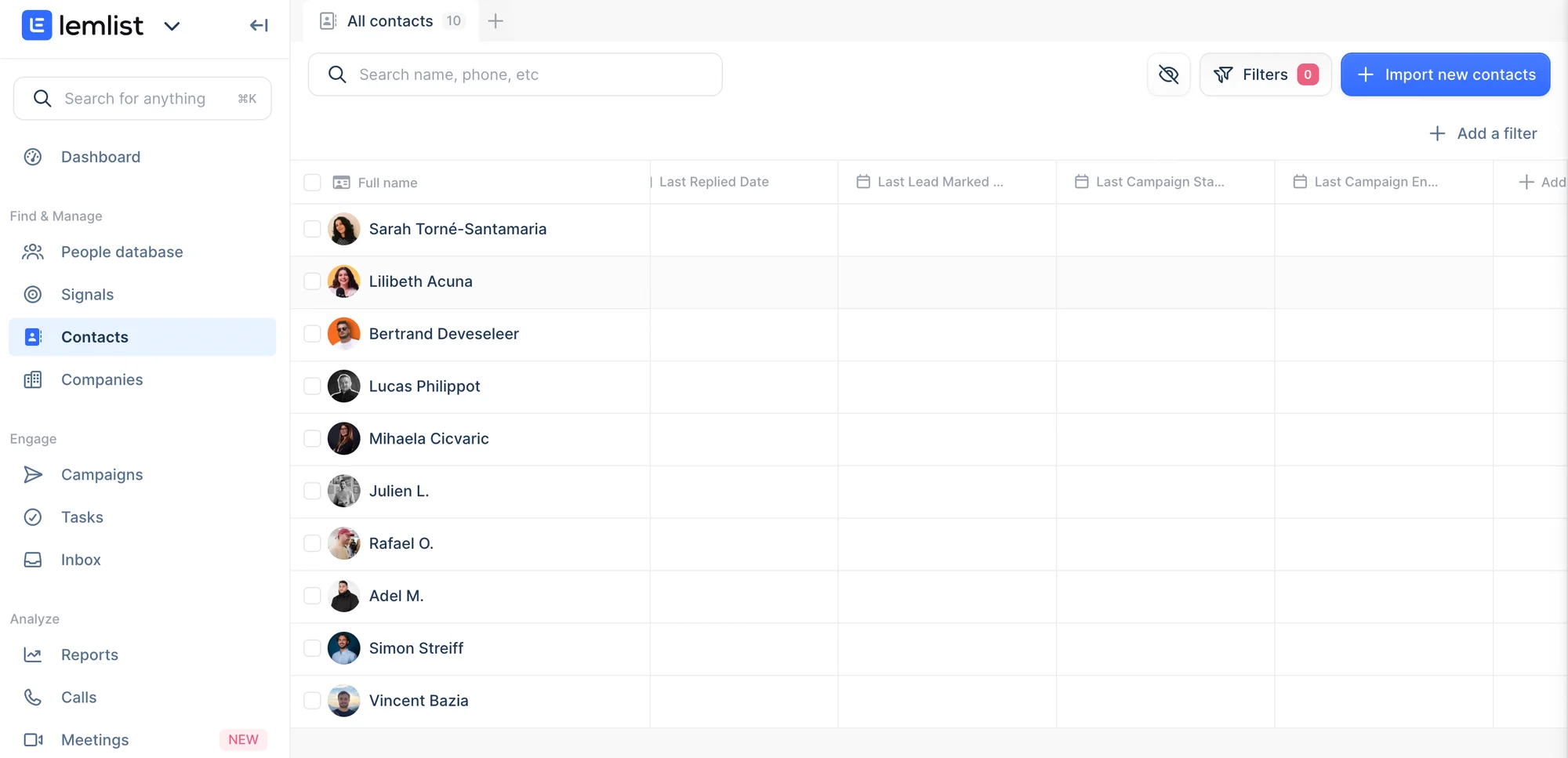
However, some features can feel slightly complex at first due to the amount of information displayed simultaneously. For example, the contact page includes many filters, and not all of them are immediately intuitive for new users.
6) Lemlist vs Waalaxy: Email Finder & Lead Contact Features
Both tools offer strong email capabilities, but they approach outreach differently depending on your workflow and priorities. 😌
Feature | Lemlist | Waalaxy |
|---|---|---|
Email-only sequences | ✅ | ✅ |
Email Finder | ✅ | ✅ |
Email discovery rate | ⚠️ Depends on external tools | ✅ Finds 60%+ of prospect emails via native enrichment |
Email Deliverability Tools | ✅ Native warm-up (Lemwarm) | ✖️ No native warm-up |
Advanced Personalization (images/video) | ✅ | ⚠️ More limited |
Performance Analytics | 📊 Advanced email metrics | 📊 Basic email metrics |
Multichannel Capabilities | ⚠️ Primarily email-focused | ✅ LinkedIn and Email in one platform |
Lead Enrichment | ✅ LinkedIn, email finder, database | ✅ Native via LinkedIn, Sales Navigator, Email Finder |
Choose Lemlist if: 👇🏻
📍 Email is your primary acquisition channel.
📍 Deliverability and warm-up are critical to your campaigns.
📍 You want advanced personalization with visual elements like images and videos.
Choose the Waalaxy extension if 👇🏻:
📍 You want email-only or multichannel sequences in a single platform.
📍 You need a native Email Finder with a credit-based system to build lists quickly.
📍 You want solid email tracking without stacking multiple tools.
7) Resource support for users
As a user, you want to stay autonomous and access the resources you need quickly — without always relying on customer support. 👀
What resources are available on Waalaxy?
Waalaxy offers live chat support from Monday to Friday, 8:30 a.m. to 6 p.m. 📆
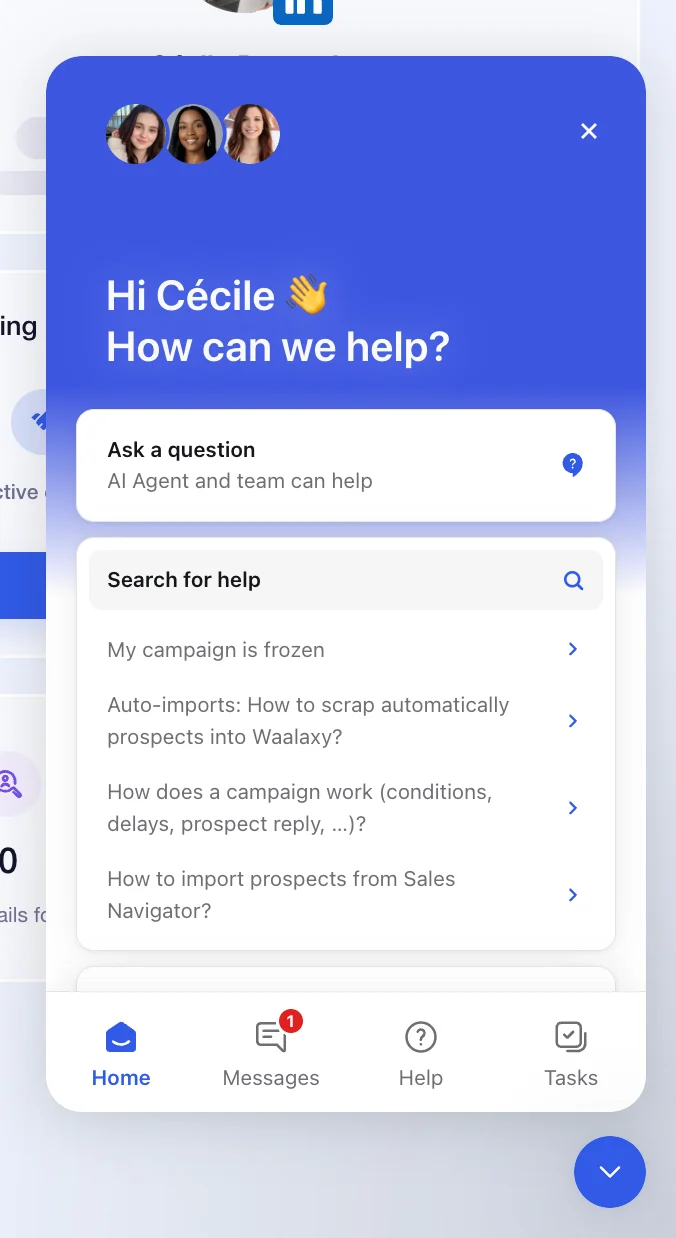
Before contacting support, you can browse a dedicated Help section covering common issues, with clear explanations and step-by-step video tutorials. 🧚🏻♀️
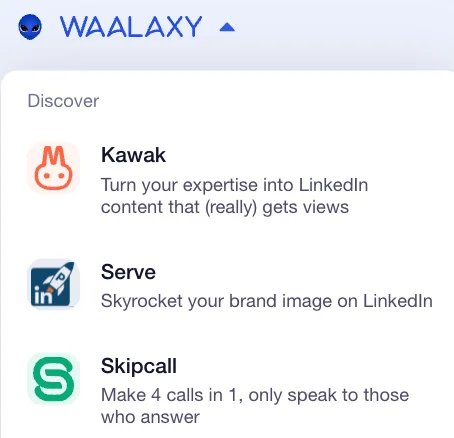
You can also access other Waalaxy tools by clicking the arrow next to the logo. 👇🏻
In addition, Waalaxy provides hundreds of articles available on its Help Center to guide users through setup, strategy, and optimization.
But that's not all, Waalaxy also offers:👇🏻
🎬 A YouTube channel offering tutorials and best practices
📘 E-books focused on successful prospecting.
🎥 Webinars.
👀 A blog featuring hundreds of articles (LinkedIn, marketing, prospecting, email outreach, automation, recruitment, and more).
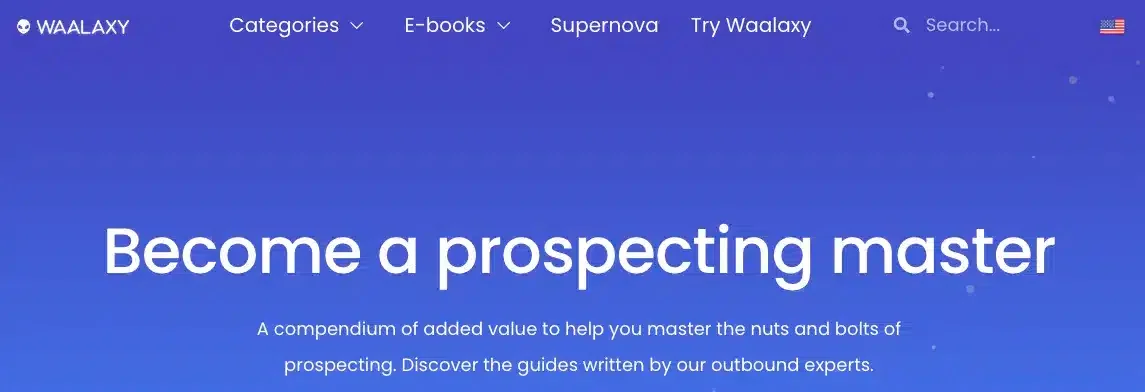
What resources are available on Lemlist?
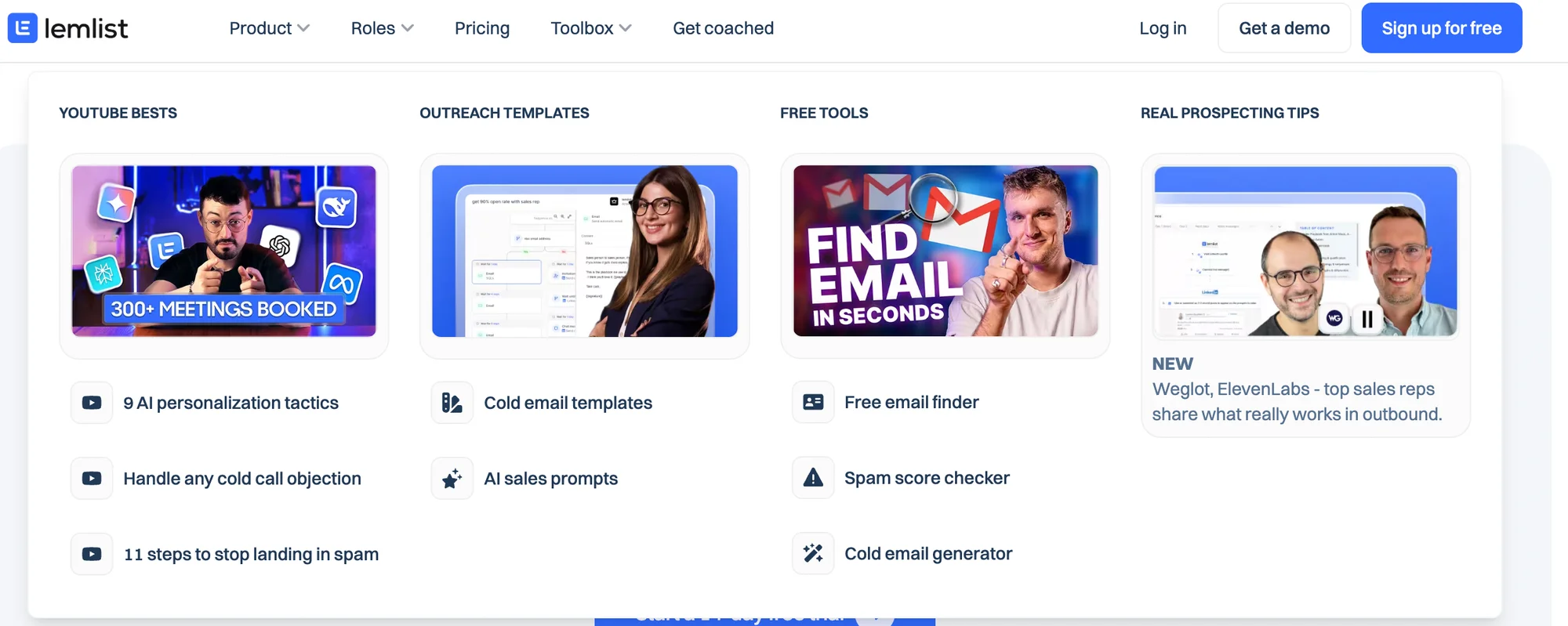
On Lemlist, next to the logo, you'll find a small arrow too with various tools 👇🏼:
Lemwarm: Keep your e-mails away from spam.
Lemcal: Book your appointments with ease.
Taplio: Create your personal brand on LinkedIn.
TweetHunter: Create your personal brand on X.
Claap: Record and analyze sales meetings.
Except for Lemwarm and Lemcal, we have no information on whether the other products are part of the Lemlist company or not. 🤷🏻♀️
On the website, you can find a toolbox to help you. You have YouTube videos, blog article... 👀
Like Waalaxy, Lemlist provides a Help Center and customer support. 😇 One limitation is that the Help Center is currently available only in English.
Additionally, Lemlist offers:
🔵 A YouTube channel.
🔵 Templates you can duplicate in your Lemlist account.
Final Thoughts: Lemlist vs Waalaxy - Which One Should You Choose?
Waalaxy and Lemlist are both powerful tools for multichannel prospecting, LinkedIn automations and email outreach. The right choice ultimately depends on your goals, workflow, and internal resources. 🤔
With its intuitive interface and streamlined experience, 💯 Waalaxy makes launching LinkedIn automation and managing email campaigns straightforward. Its fully cloud-based system ensures your campaigns run continuously — even when you're offline.
If you’d like to explore Waalaxy and see how it fits your workflow, you can check it out here: 👇🏼
On the other hand, Lemlist is known for its advanced email-first approach, offering powerful automation features and detailed campaign performance analytics. 📈
FAQ: Waalaxy vs Lemlist
It depends on your outreach strategy.
Waalaxy is generally better suited for teams and founders who want to combine LinkedIn automation and email outreach in a simple, beginner-friendly platform. Lemlist, on the other hand, is often preferred by outbound teams focused primarily on scaling cold email campaigns with advanced personalization and deliverability tools.
The best choice comes down to whether your priority is multichannel prospecting or email-first automation.
The main difference lies in their core focus.
Waalaxy is built around LinkedIn prospecting, automations and multichannel workflows (LinkedIn + email), with a strong emphasis on simplicity and usability. Lemlist is more email-centered, offering advanced cold email personalization, A/B testing, and native email warm-up through Lemwarm.
In short: Waalaxy prioritizes multichannel ease of use, while Lemlist prioritizes advanced email capabilities.
Yes, Waalaxy offers a pro plan starting at around $16-$19 per month, while Lemlist’s paid plans start at around $60–$80 per month (depending on billing cycle).
If budget is a key factor, Waalaxy may be more accessible for small teams, founders, and solopreneurs. Lemlist’s pricing reflects its advanced email features and deliverability tools.
For many users, yes, especially if your strategy includes LinkedIn outreach alongside email campaigns.
Waalaxy allows you to run email-only campaigns similar to Lemlist, while also giving you the option to add LinkedIn actions into the same sequence. However, if your main focus is high-volume cold email with advanced personalization and native warm-up tools, Lemlist may still be the better fit.
Migrating from Lemlist to Waalaxy is relatively straightforward and doesn’t require technical expertise.
Start by exporting your existing leads from Lemlist or your CRM. You can then import them directly into . 📃
Next, recreate your sequences step by step. Waalaxy allows you to run email-only campaigns, similar to Lemlist, or switch to multichannel workflows combining email and LinkedIn when you’re ready. 🕺🏻
Once your email account is connected, you can launch your campaigns and monitor performance from a clear, easy-to-read dashboard. 🙌🏻
Overall, the transition process is designed to be smooth and efficient. 🚀
Lemwarm is a Lemlist feature designed to “warm up” your email address by gradually increasing your domain's reputation. How does it work? 🤔
It simulates natural engagement between real email accounts to improve deliverability. By generating replies and interactions, it helps your emails land in the inbox rather than the spam folder — which can positively impact open rates. 🤩